Data Transformation & Mapping
Document information
- Canonical URL:
/docs/03_writing-step-code/40_data-transformation-mapping - Version:
2026-05-08 - Tags:
code-snippets,etl,mapping
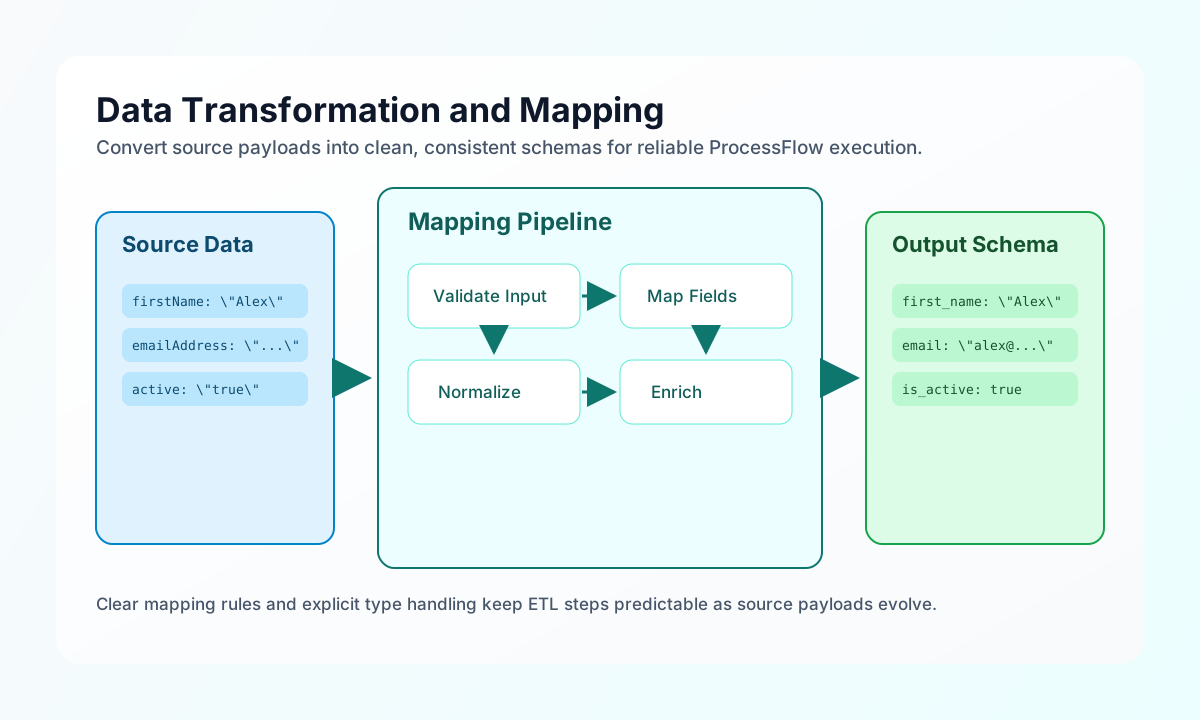
Data transformation and field mapping are core ProcessFlow tasks because most automations need to reshape incoming payloads before they can be validated, stored, or sent to another system. This guide explains a practical workflow for normalizing records, renaming fields, flattening nested objects, and preparing predictable output structures. When your transformations are explicit and consistent, downstream steps become easier to test and maintain.
Start with a predictable transformation contract
A strong mapping step begins by validating input presence and choosing one stable output shape. This avoids hidden branching behavior and makes troubleshooting much faster when upstream data changes unexpectedly. The example below normalizes empty input, maps selected fields, and returns both data and metadata counts.
const record = process_input.result?.record ?? null;

if (record == null || typeof record !== "object" || Array.isArray(record)) {
    return { success: false, error: "Missing required input: record" };
}

const fieldMap: Record<string, string> = {
    firstName: "first_name",
    lastName: "last_name",
    emailAddress: "email",
    phoneNumber: "phone",
};

const mapped: Record<string, unknown> = {};
for (const [source, target] of Object.entries(fieldMap)) {
    mapped[target] = (record as Record<string, unknown>)[source] ?? null;
}

return {
    success: true,
    data: mapped,
    metadata: {
        input_field_count: Object.keys(record as object).length,
        output_field_count: Object.keys(mapped).length,
    },
};
Transform batches with clear type normalization
Batch transformations are safer when each record goes through the same normalization rules. In practice, this means converting numeric and boolean values explicitly and defaulting missing keys in one place. This pattern prevents mixed data types from leaking into later steps that expect stable schemas.
const records = (process_input.result?.records ?? []) as Array<Record<string, unknown>>;

const normalized = records.map((item) => ({
    customer_id: String(item.id ?? ""),
    email: String(item.email ?? "").trim().toLowerCase(),
    is_active: Boolean(item.active ?? false),
    lifetime_value: Math.round(Number(item.lifetime_value ?? 0) * 100) / 100,
    registered_at: String(item.created_at ?? ""),
}));

return {
    success: true,
    data: {
        records: normalized,
        count: normalized.length,
    },
};
Flatten nested data for exports and API payloads
Flattening nested objects is useful when you need CSV-friendly output or API payloads that cannot accept deeply nested keys. A recursive function with a prefix keeps the result understandable and avoids naming collisions across branches. This approach makes nested customer and address payloads easier to consume in external tools.
const input = process_input.result?.data ?? {};

function flatten(data: unknown, prefix = ""): Record<string, unknown> {
    const result: Record<string, unknown> = {};

    if (data == null || typeof data !== "object") {
        return result;
    }

    for (const [key, value] of Object.entries(data as Record<string, unknown>)) {
        const newKey = prefix === "" ? key : `${prefix}_${key}`;
        if (value != null && typeof value === "object" && !Array.isArray(value)) {
            Object.assign(result, flatten(value, newKey));
        } else {
            result[newKey] = value;
        }
    }

    return result;
}

return {
    success: true,
    data: flatten(input),
};
Keep mapping logic aligned across languages
Many teams implement the same mapping behavior in ProcessFlow and in service code, so aligned examples reduce interpretation differences during reviews. Each snippet below applies the same source -> target mapping strategy and produces the same output shape. This consistency helps teams validate behavior quickly regardless of runtime.
type SourceRecord = Record<string, unknown>;

function mapRecord(record: SourceRecord): Record<string, unknown> {
  const fieldMap: Record<string, string> = {
    firstName: "first_name",
    lastName: "last_name",
    emailAddress: "email",
    phoneNumber: "phone",
  };

  const mapped: Record<string, unknown> = {};
  for (const [source, target] of Object.entries(fieldMap)) {
    mapped[target] = record[source] ?? null;
  }
  return mapped;
}
Submit transformed payloads to an API
When mapping steps feed downstream APIs, include tenant context and a concise batch payload so operators can replay requests during support investigations. A complete request example with response output also helps teams verify the expected handshake between transformation and delivery steps. Keep placeholders for API credentials and tenant identifiers in shared docs.
curl -X POST "https://api.example.com/api/v1/mappings/import" \
  -H "X-API-Key: <API_KEY>" \
  -H "X-Tenant-ID: <TENANT_ID>" \
  -H "Content-Type: application/json" \
  -d '{
    "source": "crm_contacts",
    "records": [
      {
        "first_name": "Alex",
        "last_name": "Taylor",
        "email": "alex@example.com",
        "phone": "+1-555-0130"
      }
    ]
  }'
{
  "success": true,
  "data": {
    "import_id": "imp_01J2EXAMPLE",
    "accepted_records": 1,
    "status": "queued"
  }
}
Avoid common mapping failures
Most production mapping issues come from inconsistent key names, mixed field types, and missing defaults for optional values. You can reduce these failures by normalizing all keys before comparison, converting expected numeric and boolean fields explicitly, and returning a consistent metadata block for every run. These simple guardrails keep transformations deterministic and prevent subtle downstream breakage.
See also
Transformation quality improves when each step does one clear mapping task and returns a stable output contract. With predictable schemas and explicit type handling, your ProcessFlow automations remain easier to evolve as source systems change.