Date & Time Operations
Document information
- Canonical URL:
/docs/03_writing-step-code/55_date-time-operations - Version:
2026-05-08 - Tags:
code-snippets,datetime,reference
Date and time logic in ProcessFlow affects scheduling, deadlines, reporting windows, and routing rules, so consistency is critical. This guide focuses on safe parsing, timezone-aware formatting, interval calculation, and business-day style operations you can reuse across workflows. When time handling is explicit and standardized, downstream automation behavior becomes more predictable.
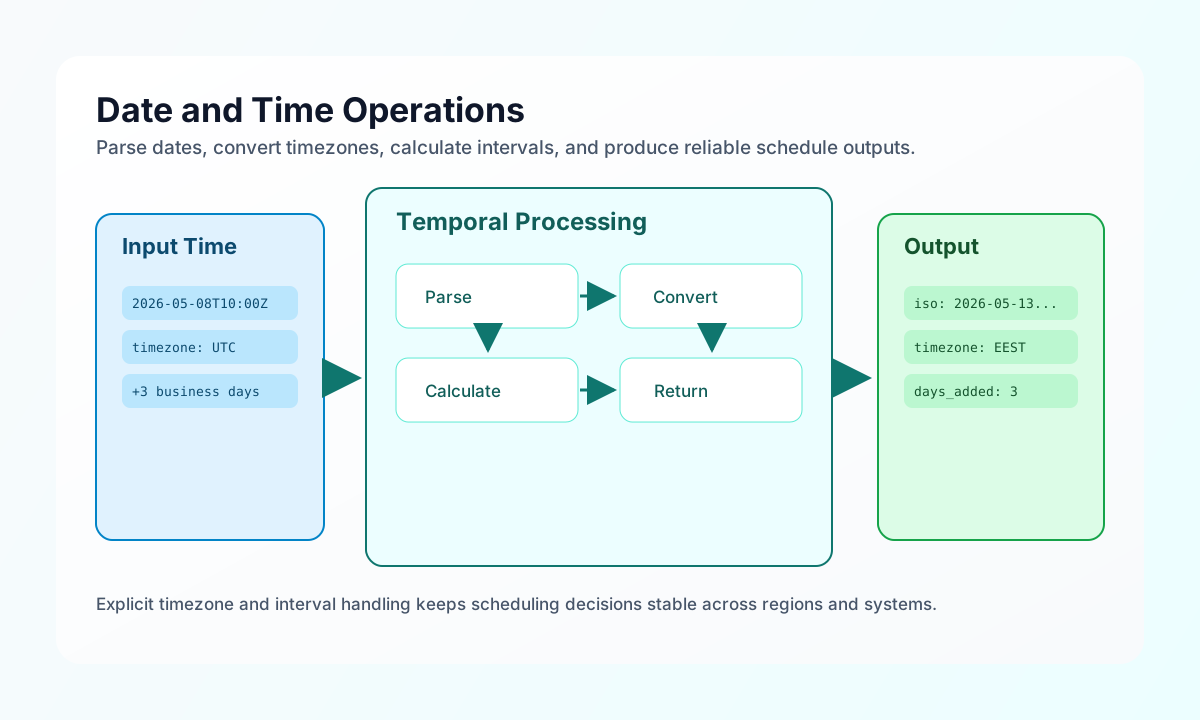
Parse and format dates with explicit defaults
A reliable date step should always define fallback input, target format, and timezone before any transformation. This avoids hidden assumptions about server defaults and keeps output stable across environments. The pattern below parses input once and returns both canonical and human-readable formats.
const input = String(process_input.result?.date ?? new Date().toISOString());
const timezone = String(process_input.result?.timezone ?? "UTC");

try {
    const dt = new Date(input);
    if (Number.isNaN(dt.getTime())) {
        throw new Error("invalid date");
    }

    const formatInTz = (date: Date, timeZone: string, options: Intl.DateTimeFormatOptions) =>
        new Intl.DateTimeFormat("en-CA", { timeZone, ...options }).format(date);

    return {
        success: true,
        data: {
            timestamp: Math.floor(dt.getTime() / 1000),
            custom: formatInTz(dt, timezone, {
                year: "numeric",
                month: "2-digit",
                day: "2-digit",
                hour: "2-digit",
                minute: "2-digit",
                second: "2-digit",
            }),
            iso8601: dt.toISOString(),
            date_only: formatInTz(dt, timezone, { year: "numeric", month: "2-digit", day: "2-digit" }),
            time_only: formatInTz(dt, timezone, { hour: "2-digit", minute: "2-digit", second: "2-digit" }),
            timezone,
        },
    };
} catch {
    return { success: false, error: `Invalid date input: ${input}` };
}
Apply date arithmetic and compare intervals
Date arithmetic should use explicit units and return both raw and human-friendly differences so later steps can branch on the right value. Keeping both absolute and signed differences helps when workflows need overdue checks, SLA timers, or future reminders. This pattern computes a shifted date and compares it with the original.
const base = new Date(String(process_input.result?.date ?? Date.now()));
const amount = Number(process_input.result?.amount ?? 1);
const unit = String(process_input.result?.unit ?? "days");
const operation = String(process_input.result?.operation ?? "add");

const unitMs: Record<string, number> = {
    seconds: 1000,
    minutes: 60_000,
    hours: 3_600_000,
    days: 86_400_000,
};
const delta = amount * (unitMs[unit] ?? unitMs.days) * (operation === "subtract" ? -1 : 1);
const resultDate = new Date(base.getTime() + delta);
const diffSeconds = Math.abs(Math.floor((resultDate.getTime() - base.getTime()) / 1000));

return {
    success: true,
    data: {
        original: base.toISOString(),
        result: resultDate.toISOString(),
        difference_seconds: diffSeconds,
        difference_days: Math.floor(diffSeconds / 86400),
    },
};
Convert across timezones safely
Timezone conversion should preserve the same moment in time while changing representation for local audiences. Using DateTime with DateTimeZone avoids global timezone side effects and keeps conversions deterministic. Returning both source and target values helps audit scheduled events and notifications.
const input = String(process_input.result?.datetime ?? new Date().toISOString());
const sourceTz = String(process_input.result?.from_timezone ?? "UTC");
const targetTz = String(process_input.result?.to_timezone ?? "Europe/Helsinki");

try {
    const source = new Date(input);
    if (Number.isNaN(source.getTime())) {
        throw new Error("Invalid datetime");
    }

    const formatInTz = (date: Date, timeZone: string) =>
        new Intl.DateTimeFormat("en-CA", {
            timeZone,
            year: "numeric",
            month: "2-digit",
            day: "2-digit",
            hour: "2-digit",
            minute: "2-digit",
            second: "2-digit",
            timeZoneName: "short",
        }).format(date);

    return {
        success: true,
        data: {
            source: formatInTz(source, sourceTz),
            target: formatInTz(source, targetTz),
            unix_timestamp: Math.floor(source.getTime() / 1000),
        },
    };
} catch {
    return { success: false, error: "Invalid datetime or timezone" };
}
Keep date-handling patterns aligned across languages
When teams implement scheduling logic in both ProcessFlow and external services, aligned snippets prevent inconsistent assumptions about UTC and local time. The examples below parse an ISO date, convert to a target timezone, and return a standardized output contract. Consistency here reduces subtle bugs in cross-system integrations.
function convertTimezone(isoDate: string, targetTimezone: string) {
  const date = new Date(isoDate);
  const formatted = new Intl.DateTimeFormat("en-CA", {
    timeZone: targetTimezone,
    year: "numeric",
    month: "2-digit",
    day: "2-digit",
    hour: "2-digit",
    minute: "2-digit",
    second: "2-digit",
  }).format(date);

  return { source_iso: date.toISOString(), target_time: formatted, timezone: targetTimezone };
}
Send normalized time data to an API
If your workflow pushes schedules or computed deadlines to external services, include timezone and canonical ISO fields in every request. This makes downstream interpretation explicit and prevents daylight-saving ambiguity. A concise response payload also helps confirm which schedule record was persisted.
curl -X POST "https://api.example.com/api/v1/schedules/resolve" \
  -H "X-API-Key: <API_KEY>" \
  -H "X-Tenant-ID: <TENANT_ID>" \
  -H "Content-Type: application/json" \
  -d '{
    "event_id": "<ENTITY_ID>",
    "start_at": "2026-05-08T10:00:00Z",
    "timezone": "Europe/Helsinki",
    "business_days_to_add": 3
  }'
{
  "success": true,
  "data": {
    "schedule_id": "sch_01J2EXAMPLE",
    "resolved_at": "2026-05-13T10:00:00+03:00",
    "timezone": "Europe/Helsinki"
  }
}
Prevent common date-time mistakes
Most date-time incidents in automation come from implicit timezone assumptions, mixed timestamp formats, or unvalidated human-entered dates. You can avoid these issues by standardizing on ISO 8601 for exchange, validating inputs before arithmetic, and returning both formatted and timestamp forms when decisions depend on time. These habits keep scheduling logic dependable as workflows scale.
See also
Date and time operations become maintainable when every step makes timezone, format, and interval assumptions explicit. With that structure in place, ProcessFlow scheduling and reporting logic stays accurate across systems and regions.