Deepgram Connector Guide
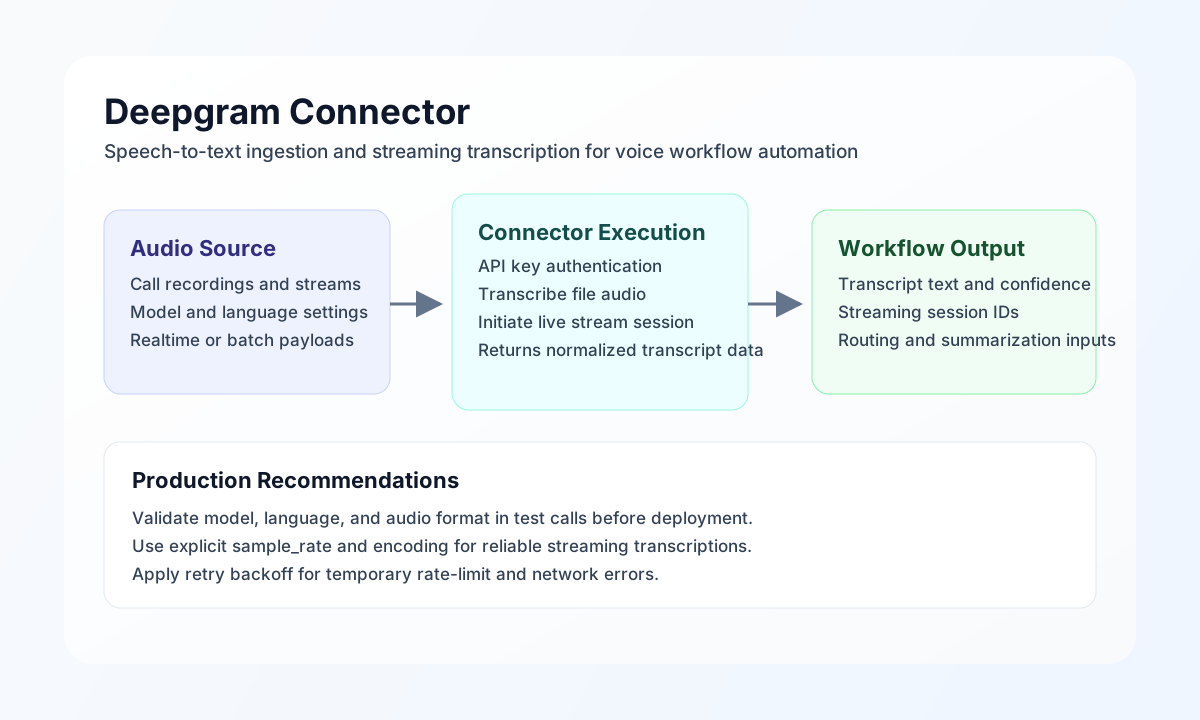
The Deepgram connector helps Tealfabric workflows convert speech audio into structured text for automation use cases. It is commonly used for call summarization, voice ticket triage, compliance keyword detection, and speech-to-text enrichment in operational pipelines.
Document information
| Field | Value |
|---|---|
| Canonical URL | /docs/04_connecting-systems/connectors/d/deepgram |
| Version (published date) | 2026-05-08 |
| Tags | connectors, reference, deepgram |
| Connector ID | deepgram-1.0.0 |
Configuration and authentication
Configure the connector with a Deepgram API key so workflows can authenticate and submit transcription requests securely. Store api_key in integration settings (not in runtime call payloads).
Optional integration settings include model (default nova-2) and timeout_seconds (default 60). After setup, run test to confirm the key is valid and Deepgram is reachable from your environment.
Transcribe audio with transcribe
Use transcribe for file-based speech recognition when workflows need a completed text result before continuing. Provide a public audio_url; the connector sends POST /listen with { "url": "<audio_url>" } and optional query parameters (model, punctuate, diarize, language).
const baseUrl = "https://api.example.com/api/v1";
const tenantId = "<TENANT_ID>";
const apiKey = "<API_KEY>";

async function transcribeSupportCall(integrationId: string) {
  const response = await fetch(`${baseUrl}/integrations/${encodeURIComponent(integrationId)}/execute`, {
    method: "POST",
    headers: {
      "X-API-Key": apiKey,
      "X-Tenant-ID": tenantId,
      "Content-Type": "application/json",
    },
    body: JSON.stringify({
      operation: "transcribe",
      model: "nova-2",
      audio_url: "https://cdn.example.com/audio/support-call-22041.wav",
      language: "en",
      punctuate: true,
      diarize: true
    }),
  });
  if (!response.ok) throw new Error(`Request failed: ${response.status}`);
  return response.json();
}
curl -X POST "https://api.example.com/api/v1/integrations/<ENTITY_ID>/execute" \
-H "X-API-Key: <API_KEY>" \
-H "X-Tenant-ID: <TENANT_ID>" \
-H "Content-Type: application/json" \
-d '{
"operation": "transcribe",
"model": "nova-2",
"audio_url": "https://cdn.example.com/audio/support-call-22041.wav",
"language": "en",
"punctuate": true,
"diarize": true
}'
{
  "success": true,
  "data": {
    "transcription_count": 1,
    "transcription": {
      "metadata": { "request_id": "abc123" },
      "results": { "channels": [{ "alternatives": [{ "transcript": "Hello, I need help with my delayed shipment..." }] }] }
    },
    "data": {
      "metadata": { "request_id": "abc123" },
      "results": { "channels": [{ "alternatives": [{ "transcript": "Hello, I need help with my delayed shipment..." }] }] }
    }
  }
}
Retrieve transcription with get
Use get to fetch a prior transcription result by Deepgram request_id (alias id). The connector calls GET /listen/{request_id}.
{
  "operation": "get",
  "request_id": "abc123"
}
{
  "success": true,
  "data": {
    "transcription_count": 1,
    "transcription": { "metadata": { "request_id": "abc123" } },
    "data": { "metadata": { "request_id": "abc123" } }
  }
}
Test connection with test
Use test to validate integration configuration and credentials. The connector checks required api_key and probes GET /projects. Missing configuration returns Configuration validation failed.
{
  "operation": "test"
}
{
  "success": true,
  "data": {
    "message": "Deepgram connection test successful",
    "details": {
      "endpoint": "https://api.deepgram.com/v1",
      "model": "nova-2"
    }
  }
}
Real-time transcription with stream
The legacy connector and this native package both treat stream as intentionally unsupported: real-time transcription requires a WebSocket connection and the Deepgram SDK. Calling stream returns a validation error with the same message as legacy PHP.
{
  "success": false,
  "error": {
    "code": "VALIDATION",
    "message": "Streaming transcription requires WebSocket connection. Use Deepgram SDK for full implementation.",
    "retriable": false
  }
}
Reliability guidance
Most production issues come from invalid API keys, unsupported model settings, or audio format mismatches. Validate with test, keep encoding parameters explicit, and log request settings with failures for faster troubleshooting.
For stable throughput, respect Deepgram rate limits and apply exponential backoff to transient errors such as 429 responses. These controls keep voice-driven automations reliable and predictable.