FreshBooks Connector Guide
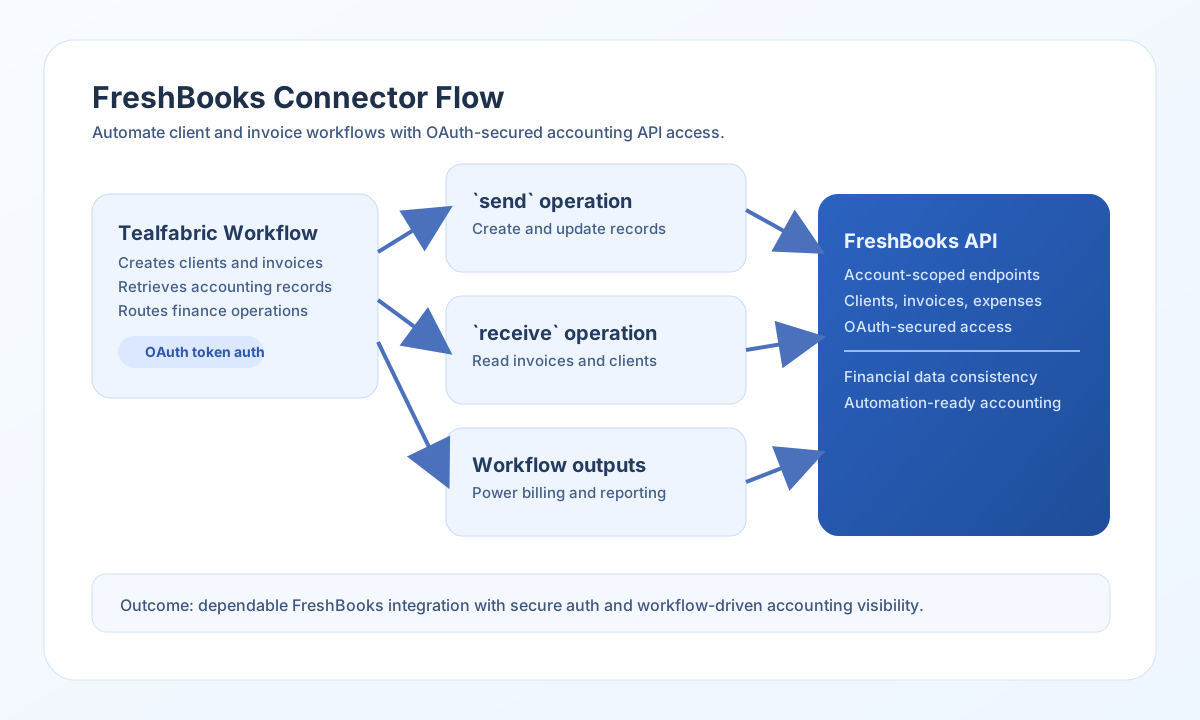
The FreshBooks connector helps Tealfabric workflows automate accounting operations such as client management and invoice handling. It uses OAuth-protected API access so workflows can interact with FreshBooks data securely.
Document information
| Field | Value |
|---|---|
| Canonical URL | /docs/04_connecting-systems/connectors/f/freshbooks |
| Version (published date) | 2026-05-08 |
| Tags | connectors, reference, freshbooks |
| Connector ID | freshbooks-1.0.0 |
Configure OAuth credentials
Set client_id, client_secret, and redirect_uri from your FreshBooks app configuration. If your integration already has token values, provide access_token and refresh_token so requests can run immediately.
Use scopes that match the accounting objects you plan to access, and increase timeout_seconds for larger reporting responses. Run test to confirm API access before production use. The test operation validates client_id, client_secret, and redirect_uri; send, receive, sync, and batch require a valid access_token at runtime (matching legacy execution flow).
Create accounting records with send
Use send to create or update FreshBooks resources such as clients and invoices. Keep endpoint paths account-specific and ensure payloads follow FreshBooks object structure.
const baseUrl = "https://api.example.com/api/v1";
const tenantId = "<TENANT_ID>";
const apiKey = "<API_KEY>";

async function createClient(integrationId: string) {
  const response = await fetch(`${baseUrl}/integrations/${encodeURIComponent(integrationId)}/execute`, {
    method: "POST",
    headers: {
      "X-API-Key": apiKey,
      "X-Tenant-ID": tenantId,
      "Content-Type": "application/json",
    },
    body: JSON.stringify({
      operation: "send",
      endpoint: "accounting/account/<ENTITY_ID>/users/clients",
      method: "POST",
      data: {
        client: {
          fname: "Jordan",
          lname: "Mills",
          email: "jordan.mills@example.com"
        }
      }
    }),
  });
  if (!response.ok) throw new Error(`Request failed: ${response.status}`);
  return response.json();
}
curl -X POST "https://api.example.com/api/v1/integrations/<ENTITY_ID>/execute" \
-H "X-API-Key: <API_KEY>" \
-H "X-Tenant-ID: <TENANT_ID>" \
-H "Content-Type: application/json" \
-d '{
"operation": "send",
"endpoint": "accounting/account/<ENTITY_ID>/users/clients",
"method": "POST",
"data": {
"client": {
"fname": "Jordan",
"lname": "Mills",
"email": "jordan.mills@example.com"
}
}
}'
{
  "success": true,
  "data": {
    "message_count": 1,
    "data": {
      "response": {
        "result": {
          "client": {
            "id": "<ENTITY_ID>",
            "fname": "Jordan",
            "lname": "Mills"
          }
        }
      }
    },
    "response": {
      "response": {
        "result": {
          "client": {
            "id": "<ENTITY_ID>",
            "fname": "Jordan",
            "lname": "Mills"
          }
        }
      }
    }
  }
}
Retrieve accounting data with receive
Use receive to list clients, invoices, or expenses for reporting and reconciliation workflows. Query options such as pagination and status filters help keep requests efficient.
const baseUrl = "https://api.example.com/api/v1";
const tenantId = "<TENANT_ID>";
const apiKey = "<API_KEY>";

async function listUnpaidInvoices(integrationId: string) {
  const response = await fetch(`${baseUrl}/integrations/${encodeURIComponent(integrationId)}/execute`, {
    method: "POST",
    headers: {
      "X-API-Key": apiKey,
      "X-Tenant-ID": tenantId,
      "Content-Type": "application/json",
    },
    body: JSON.stringify({
      operation: "receive",
      endpoint: "accounting/account/<ENTITY_ID>/invoices/invoices",
      query: {
        page: 1,
        per_page: 25,
        status: "unpaid"
      }
    }),
  });
  if (!response.ok) throw new Error(`Request failed: ${response.status}`);
  return response.json();
}
curl -X POST "https://api.example.com/api/v1/integrations/<ENTITY_ID>/execute" \
-H "X-API-Key: <API_KEY>" \
-H "X-Tenant-ID: <TENANT_ID>" \
-H "Content-Type: application/json" \
-d '{
"operation": "receive",
"endpoint": "accounting/account/<ENTITY_ID>/invoices/invoices",
"query": {
"page": 1,
"per_page": 25,
"status": "unpaid"
}
}'
{
  "success": true,
  "data": {
    "message_count": 1,
    "data": [
      {
        "id": "<ENTITY_ID>",
        "amount": {
          "amount": "100.00",
          "code": "USD"
        },
        "status": "unpaid"
      }
    ],
    "total_size": 1
  }
}
Reliability guidance
Most failures come from expired tokens, wrong account IDs in endpoint paths, or invalid payload structure. Validate OAuth status and account-specific URLs before troubleshooting business logic.
For stable production behavior, use pagination, monitor rate limits, and retry transient failures with controlled backoff. This keeps accounting automations accurate and reliable.