FMI WFS Connector Guide
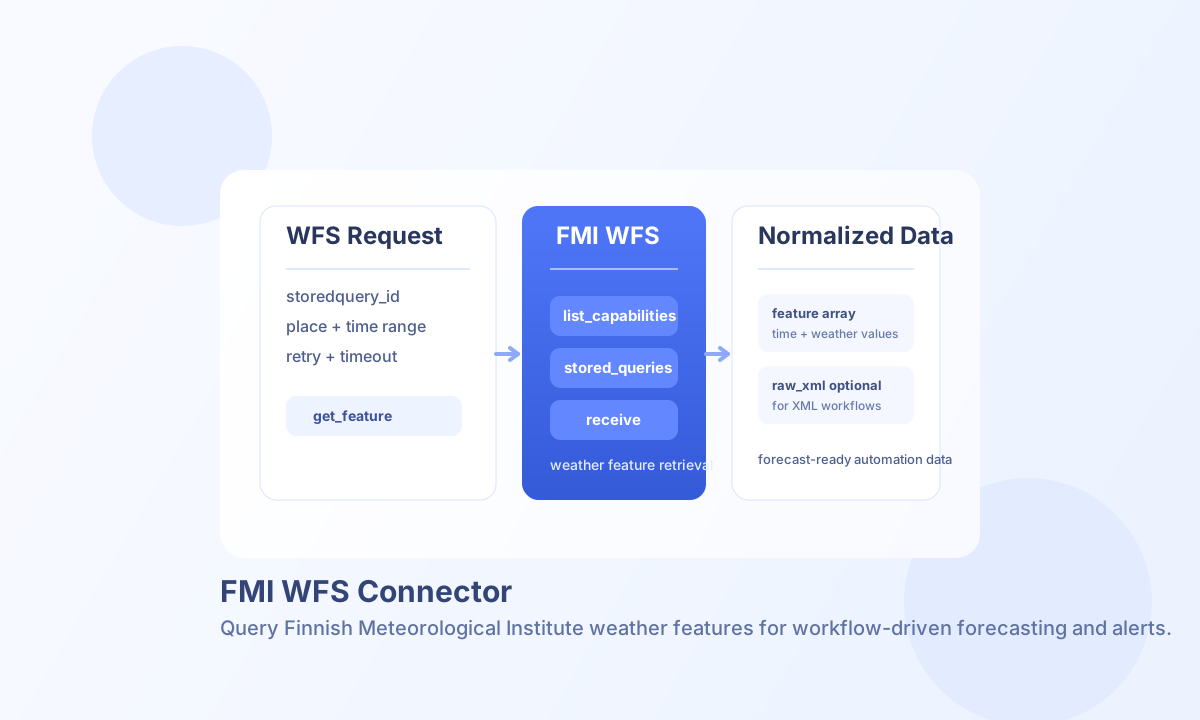
The FMI WFS connector integrates Tealfabric workflows with Finnish Meteorological Institute Open Data services using WFS stored queries. It is designed for weather and forecast retrieval where workflows need normalized feature output for downstream automation.
Document information
| Field | Value |
|---|---|
| Canonical URL | /docs/04_connecting-systems/connectors/f/fmi-wfs |
| Version (published date) | 2026-05-08 |
| Tags | connectors, reference, fmi-wfs |
| Connector ID | fmi-wfs-1.0.0 |
Configure FMI WFS access
Set base_url to the FMI WFS endpoint, typically https://opendata.fmi.fi/wfs, and add api_key only if your environment requires authenticated access. Most open data scenarios work without an API key.
Use default_stored_query_id to simplify repeated requests, and tune timeout_seconds, max_retries, and retry_backoff_ms for stable operation during transient network failures. Choose response_format as normalized_array for workflow-friendly records or raw_xml for direct XML processing.
Retrieve weather features with get_feature (or receive)
Use get_feature for explicit WFS retrieval, or receive when you want standard Tealfabric receive semantics with the same behavior. Stored queries are the core request model, and query parameters such as place and time window control result scope.
const baseUrl = "https://api.example.com/api/v1";
const tenantId = "<TENANT_ID>";
const apiKey = "<API_KEY>";

async function getForecastFeatures(integrationId: string) {
  const response = await fetch(`${baseUrl}/integrations/${encodeURIComponent(integrationId)}/execute`, {
    method: "POST",
    headers: {
      "X-API-Key": apiKey,
      "X-Tenant-ID": tenantId,
      "Content-Type": "application/json",
    },
    body: JSON.stringify({
      operation: "get_feature",
      storedquery_id: "fmi::forecast::harmonie::surface::point::multipointcoverage",
      place: "helsinki",
      begin: "2026-05-08T00:00:00Z",
      end: "2026-05-08T06:00:00Z",
      timestep: 60
    }),
  });
  if (!response.ok) throw new Error(`Request failed: ${response.status}`);
  return response.json();
}
curl -X POST "https://api.example.com/api/v1/integrations/<ENTITY_ID>/execute" \
-H "X-API-Key: <API_KEY>" \
-H "X-Tenant-ID: <TENANT_ID>" \
-H "Content-Type: application/json" \
-d '{
"operation": "get_feature",
"storedquery_id": "fmi::forecast::harmonie::surface::point::multipointcoverage",
"place": "helsinki",
"begin": "2026-05-08T00:00:00Z",
"end": "2026-05-08T06:00:00Z",
"timestep": 60
}'
{
  "success": true,
  "data": {
    "message_count": 6,
    "metadata": {
      "storedquery_id": "fmi::forecast::harmonie::surface::point::multipointcoverage",
      "http_code": 200,
      "content_type": "text/xml"
    },
    "data": {
      "features": [
        {"BsWfs:BsWfsElement": {"BsWfs:Time": "2026-05-08T00:00:00Z"}},
        {"BsWfs:BsWfsElement": {"BsWfs:Time": "2026-05-08T01:00:00Z"}}
      ],
      "metadata": {
        "feature_count": 6,
        "is_exception": false
      },
      "time_range": {
        "start": "2026-05-08T00:00:00Z",
        "end": "2026-05-08T06:00:00Z"
      },
      "errors": []
    },
    "raw_xml": "<wfs:FeatureCollection>...</wfs:FeatureCollection>"
  }
}
When response_format is raw_xml, the normalized data field is an empty array and the full XML body is in raw_xml.
Discover available queries
Use list_capabilities (alias get_capabilities) to inspect endpoint-level WFS operations and list_stored_queries to discover callable stored query IDs. Set describe: true to call DescribeStoredQueries instead of ListStoredQueries; optional storedquery_id (alias stored_query_id) narrows describe output.
{
  "success": true,
  "data": {
    "message_count": 42,
    "metadata": {
      "request": "ListStoredQueries",
      "http_code": 200,
      "content_type": "text/xml"
    },
    "data": {
      "stored_queries": [
        {
          "id": "fmi::forecast::harmonie::surface::point::multipointcoverage",
          "title": "Harmonie surface point forecast",
          "abstract": "..."
        }
      ]
    },
    "raw_xml": "<wfs:ListStoredQueriesResponse>...</wfs:ListStoredQueriesResponse>"
  }
}
Test connectivity
Use test to validate base_url, response_format, and timeout_seconds before production workflows. Only test enforces full configuration validation; other operations load configuration and defer invalid settings to the FMI WFS endpoint response.
{
  "success": true,
  "data": {
    "message": "FMI WFS connection test successful",
    "details": {
      "base_url": "https://opendata.fmi.fi/wfs",
      "http_code": 200,
      "content_type": "text/xml"
    }
  }
}
Error handling and reliability
FMI exception reports are surfaced as connector errors so workflows can handle them with standard retry or fallback logic. Transport errors, timeout failures, and malformed parameters also return normalized connector error responses.
For stable operation, keep request windows constrained, use retries with backoff for temporary failures, and validate stored query IDs in pre-production tests. This improves reliability and avoids unnecessary request volume.