EspoCRM API Connector Guide
The EspoCRM API connector lets Tealfabric workflows create, update, and retrieve CRM entities such as Contacts, Accounts, and Leads. It is useful for automating customer lifecycle flows, syncing external system data into EspoCRM, and enriching downstream workflow decisions with CRM context.
Document information
| Field | Value |
|---|---|
| Canonical URL | /docs/04_connecting-systems/connectors/e/espocrm-api |
| Version (published date) | 2026-05-08 |
| Tags | connectors, reference, espocrm-api |
| Connector ID | espocrm-api-1.0.0 |
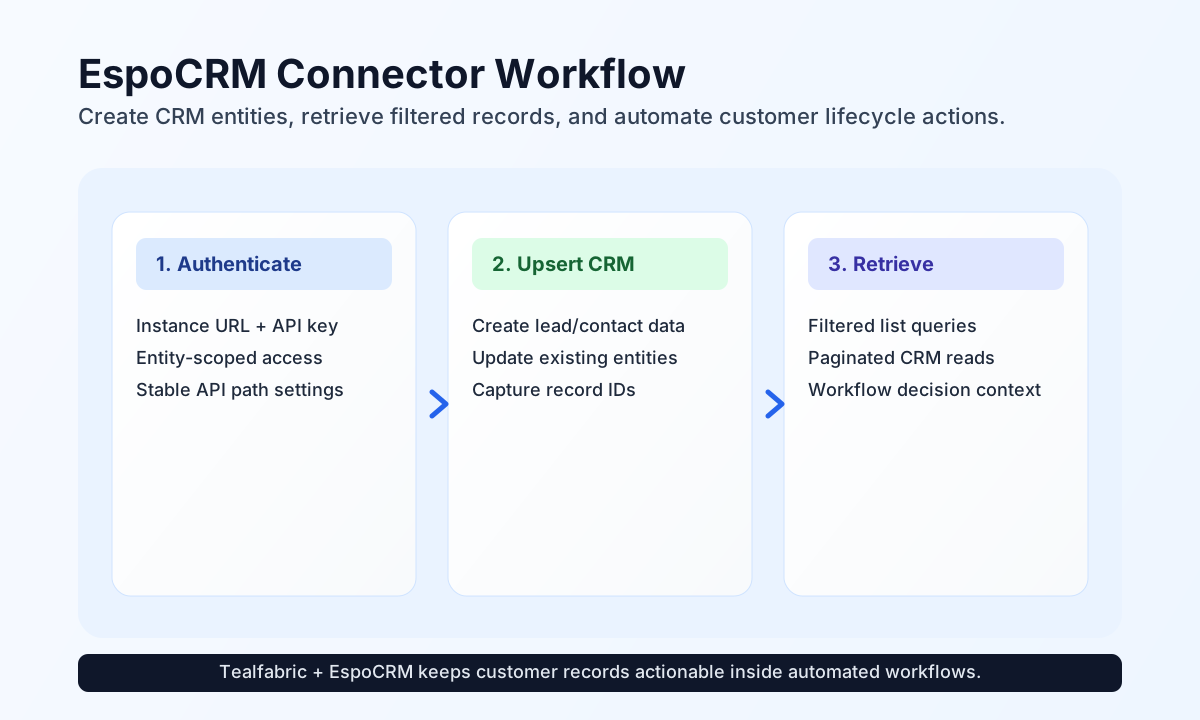
Configure EspoCRM API access
Start by configuring your EspoCRM base url and apikey so workflow steps can authenticate with the CRM API. In most cases, the default path of api/v1/ is appropriate, and only timeout_seconds needs adjustment for slower networks or heavier payloads.
Create API keys from EspoCRM administration with permissions limited to the entity types and actions your workflows require. This improves security and reduces accidental write access across unrelated modules.
Create or update entities with send
Use send for create and update operations when workflows need to push customer or account information into EspoCRM. If entity_id is omitted the connector creates a new record; if it is provided the connector updates the existing record.
const baseUrl = "https://api.example.com/api/v1";
const tenantId = "<TENANT_ID>";
const apiKey = "<API_KEY>";

async function createLead(integrationId: string) {
  const response = await fetch(`${baseUrl}/integrations/${encodeURIComponent(integrationId)}/execute`, {
    method: "POST",
    headers: {
      "X-API-Key": apiKey,
      "X-Tenant-ID": tenantId,
      "Content-Type": "application/json",
    },
    body: JSON.stringify({
      operation: "send",
      entity_type: "Lead",
      data: {
        firstName: "Avery",
        lastName: "Nguyen",
        emailAddress: "avery.nguyen@example.com",
        status: "New"
      }
    }),
  });
  if (!response.ok) throw new Error(`Request failed: ${response.status}`);
  return response.json();
}
curl -X POST "https://api.example.com/api/v1/integrations/<ENTITY_ID>/execute" \
-H "X-API-Key: <API_KEY>" \
-H "X-Tenant-ID: <TENANT_ID>" \
-H "Content-Type: application/json" \
-d '{
"operation": "send",
"entity_type": "Lead",
"data": {
"firstName": "Avery",
"lastName": "Nguyen",
"emailAddress": "avery.nguyen@example.com",
"status": "New"
}
}'
{
  "success": true,
  "data": {
    "id": "66cb6f5f3bfe8927d",
    "firstName": "Avery",
    "lastName": "Nguyen",
    "status": "New"
  }
}
Retrieve CRM records with receive
Use receive to query entities for routing, enrichment, and reporting in downstream workflow steps. Add filters and pagination to keep responses focused and predictable when CRM data volume increases.
const baseUrl = "https://api.example.com/api/v1";
const tenantId = "<TENANT_ID>";
const apiKey = "<API_KEY>";

async function listOpenLeads(integrationId: string) {
  const response = await fetch(`${baseUrl}/integrations/${encodeURIComponent(integrationId)}/execute`, {
    method: "POST",
    headers: {
      "X-API-Key": apiKey,
      "X-Tenant-ID": tenantId,
      "Content-Type": "application/json",
    },
    body: JSON.stringify({
      operation: "receive",
      entity_type: "Lead",
      query: {
        maxSize: 10,
        where: [
          {
            type: "equals",
            attribute: "status",
            value: "New"
          }
        }
      }
    }),
  });
  if (!response.ok) throw new Error(`Request failed: ${response.status}`);
  return response.json();
}
curl -X POST "https://api.example.com/api/v1/integrations/<ENTITY_ID>/execute" \
-H "X-API-Key: <API_KEY>" \
-H "X-Tenant-ID: <TENANT_ID>" \
-H "Content-Type: application/json" \
-d '{
"operation": "receive",
"entity_type": "Lead",
"query": {
"maxSize": 10,
"where": [
{
"type": "equals",
"attribute": "status",
"value": "New"
}
]
}
}'
{
  "success": true,
  "total_size": 1,
  "data": [
    {
      "id": "66cb6f5f3bfe8927d",
      "firstName": "Avery",
      "lastName": "Nguyen",
      "status": "New"
    }
  ]
}
Reliability guidance
Most issues come from API key permissions, wrong entity names, or invalid field attributes in payloads. If a request fails, verify access scope first, then confirm entity type and field naming against your EspoCRM schema.
For production reliability, paginate large reads, avoid over-fetching attributes, and standardize required fields for each entity type you automate. This keeps workflow runs stable and simplifies debugging when CRM structures evolve.