Elasticsearch Connector Guide
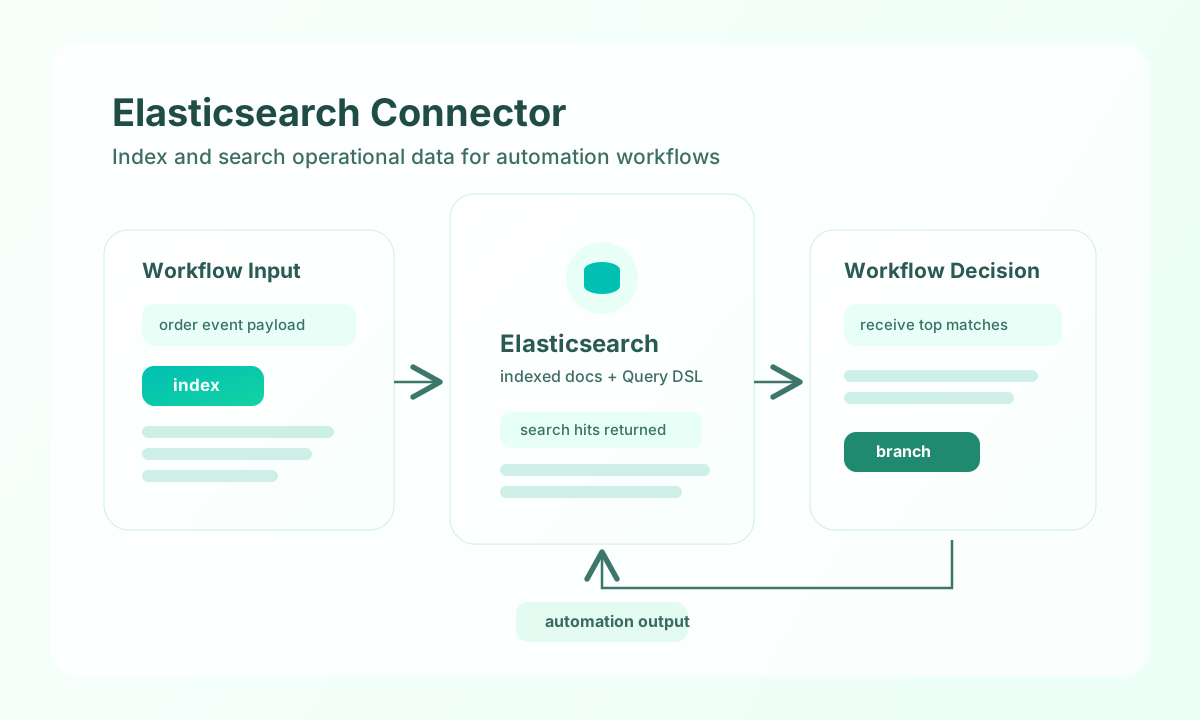
The Elasticsearch connector lets Tealfabric workflows index operational data, run search queries, and drive analytics-based automation. It is suitable for use cases such as searchable event logs, alert enrichment, and document retrieval in workflow decisions.
Document information
| Field | Value |
|---|---|
| Canonical URL | /docs/04_connecting-systems/connectors/e/elasticsearch |
| Version (published date) | 2026-05-08 |
| Tags | connectors, reference, elasticsearch |
| Connector ID | elasticsearch-1.0.0 |
Configure cluster access
Set endpoint_url to your Elasticsearch cluster endpoint and ensure network access from your Tealfabric environment. Use either username and password or an api_key, depending on your security policy and cluster configuration.
endpoint_url(required): Elasticsearch endpoint URL (aliasendpoint).username(optional): Username for basic auth.password(optional): Password for basic auth.api_key(optional): API key credential alternative.timeout_seconds(optional): Request timeout in seconds, default30.verify_ssl(optional): SSL certificate verification, defaulttrue.
Keep verify_ssl enabled in production to prevent insecure TLS behavior, and tune timeout_seconds for larger queries or bulk requests. Run test before production rollout to verify authentication and endpoint availability.
Index documents with index
Use index to store records that should be searchable in downstream automation. Include a stable document ID when you want idempotent updates instead of creating duplicates.
const baseUrl = "https://api.example.com/api/v1";
const tenantId = "<TENANT_ID>";
const apiKey = "<API_KEY>";

async function indexOrderEvent(integrationId: string) {
  const response = await fetch(`${baseUrl}/integrations/${encodeURIComponent(integrationId)}/execute`, {
    method: "POST",
    headers: {
      "X-API-Key": apiKey,
      "X-Tenant-ID": tenantId,
      "Content-Type": "application/json",
    },
    body: JSON.stringify({
      operation: "index",
      index: "orders-events",
      id: "<ENTITY_ID>",
      document: {
        order_id: "<ENTITY_ID>",
        status: "paid",
        amount: 249.00,
        timestamp: "2026-05-08T19:58:00Z"
      }
    }),
  });
  if (!response.ok) throw new Error(`Request failed: ${response.status}`);
  const payload = await response.json();
  return payload.data;
}
curl -X POST "https://api.example.com/api/v1/integrations/<ENTITY_ID>/execute" \
-H "X-API-Key: <API_KEY>" \
-H "X-Tenant-ID: <TENANT_ID>" \
-H "Content-Type: application/json" \
-d '{
"operation": "index",
"index": "orders-events",
"id": "<ENTITY_ID>",
"document": {
"order_id": "<ENTITY_ID>",
"status": "paid",
"amount": 249.00,
"timestamp": "2026-05-08T19:58:00Z"
}
}'
{
  "success": true,
  "data": {
    "document_count": 1,
    "data": {
      "_index": "orders-events",
      "_id": "<ENTITY_ID>",
      "_version": 1,
      "result": "created"
    }
  }
}
Search indexed data with search
Use search with Query DSL when workflows need to retrieve matching documents or compute response context. Combine query, size, and from thoughtfully so search operations remain fast at scale.
const baseUrl = "https://api.example.com/api/v1";
const tenantId = "<TENANT_ID>";
const apiKey = "<API_KEY>";

async function searchRecentPaidOrders(integrationId: string) {
  const response = await fetch(`${baseUrl}/integrations/${encodeURIComponent(integrationId)}/execute`, {
    method: "POST",
    headers: {
      "X-API-Key": apiKey,
      "X-Tenant-ID": tenantId,
      "Content-Type": "application/json",
    },
    body: JSON.stringify({
      operation: "search",
      index: "orders-events",
      query: {
        bool: {
          must: [{ match: { status: "paid" } }],
          filter: [{ range: { timestamp: { gte: "now-7d/d" } } }]
        }
      },
      size: 20,
      from: 0
    }),
  });
  if (!response.ok) throw new Error(`Request failed: ${response.status}`);
  const payload = await response.json();
  return payload.data?.documents ?? [];
}
curl -X POST "https://api.example.com/api/v1/integrations/<ENTITY_ID>/execute" \
-H "X-API-Key: <API_KEY>" \
-H "X-Tenant-ID: <TENANT_ID>" \
-H "Content-Type: application/json" \
-d '{
"operation": "search",
"index": "orders-events",
"query": {
"bool": {
"must": [{"match": {"status": "paid"}}],
"filter": [{"range": {"timestamp": {"gte": "now-7d/d"}}}]
}
},
"size": 20,
"from": 0
}'
{
  "success": true,
  "data": {
    "document_count": 2,
    "total": 2,
    "documents": [
      {
        "_id": "<ENTITY_ID>",
        "_score": 1.0,
        "_source": {
          "order_id": "<ENTITY_ID>",
          "status": "paid"
        }
      }
    ],
    "data": {
      "took": 6,
      "hits": {
        "total": { "value": 2, "relation": "eq" },
        "hits": [
          {
            "_id": "<ENTITY_ID>",
            "_score": 1.0,
            "_source": {
              "order_id": "<ENTITY_ID>",
              "status": "paid"
            }
          }
        ]
      }
    }
  }
}
Test connectivity with test
Use test to validate endpoint_url and authentication against cluster health (GET /_cluster/health). The connector returns cluster name and status details on success.
{
  "success": true,
  "data": {
    "message": "Elasticsearch connection test successful",
    "details": {
      "endpoint": "https://elasticsearch.example.com:9200",
      "cluster_name": "es-cluster",
      "status": "green"
    }
  }
}
Production guidance
Define mappings before heavy indexing so field types remain consistent and query performance stays predictable. Bulk operations are usually better than single-document writes for large imports, but they should still use controlled batch sizes.
Most failures come from authentication drift, missing indices, and malformed Query DSL payloads. Add retry/backoff for transient errors, validate query structures in tests, and monitor cluster health when workflow latency increases.
Related resources
Use the Elasticsearch REST API documentation and Query DSL reference for endpoint-specific behavior.