Zoho CRM Connector Guide
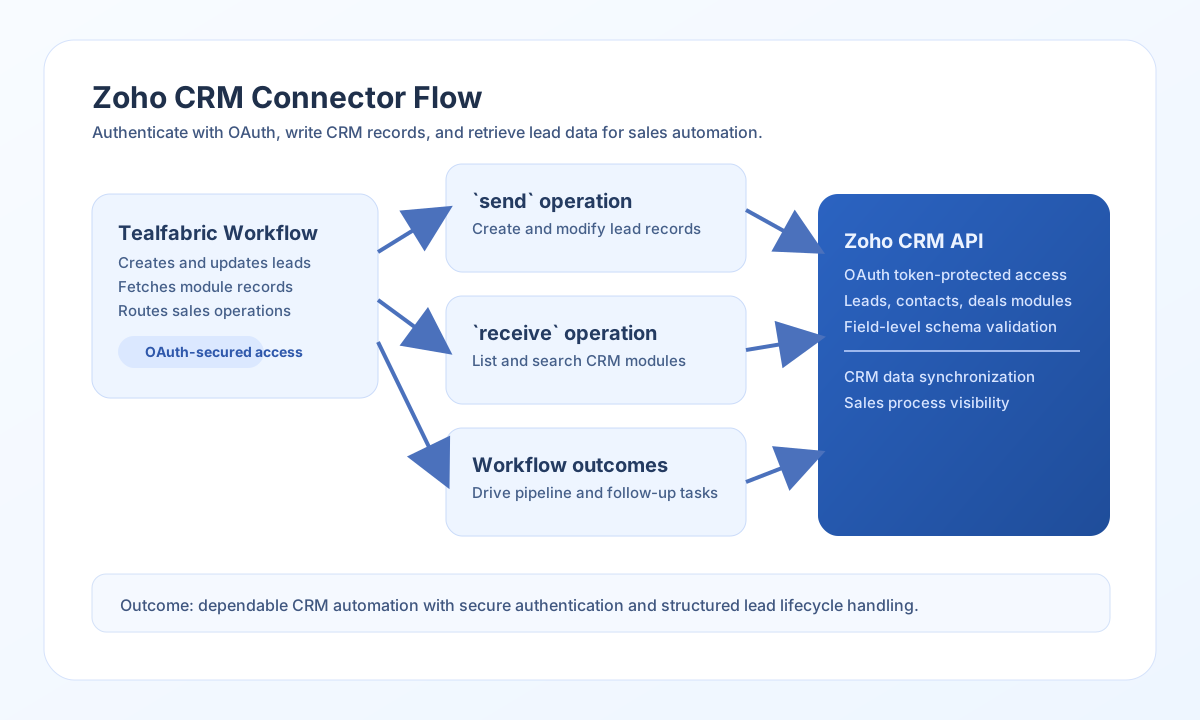
The Zoho CRM connector enables Tealfabric workflows to create, update, and retrieve CRM records through Zoho APIs. It is well suited for lead capture, account enrichment, and sales process automation.
Document information
| Field | Value |
|---|---|
| Canonical URL | /docs/04_connecting-systems/connectors/z/zoho-crm |
| Version (published date) | 2026-05-08 |
| Tags | connectors, reference, zoho-crm |
| Connector ID | zoho-crm-1.0.0 |
Configure OAuth credentials
Set client_id, client_secret, and redirect_uri from your Zoho API Console application, and ensure scopes include the modules your workflow uses. If you already have tokens, you can provide access_token and refresh_token so the connector can start immediately.
Use timeout_seconds for larger payloads, and run test before production rollout to validate tenant authorization and endpoint access. The test operation validates client_id, client_secret, and redirect_uri; other operations require only a valid access_token (and refresh_token for automatic 401 refresh).
Create or update records with send
Use send to create leads, contacts, deals, or other module records. Keep payloads wrapped in Zoho’s required data array structure and use field API names exactly as defined in your CRM schema.
const baseUrl = "https://api.example.com/api/v1";
const tenantId = "<TENANT_ID>";
const apiKey = "<API_KEY>";

async function createLead(integrationId: string) {
  const response = await fetch(`${baseUrl}/integrations/${encodeURIComponent(integrationId)}/execute`, {
    method: "POST",
    headers: {
      "X-API-Key": apiKey,
      "X-Tenant-ID": tenantId,
      "Content-Type": "application/json",
    },
    body: JSON.stringify({
      operation: "send",
      endpoint: "Leads",
      method: "POST",
      data: {
        data: [
          {
            Last_Name: "Lopez",
            First_Name: "Riley",
            Email: "riley.lopez@example.com",
            Company: "Northwind Labs"
          }
        }
      }
    }),
  });
  if (!response.ok) throw new Error(`Request failed: ${response.status}`);
  return response.json();
}
curl -X POST "https://api.example.com/api/v1/integrations/<ENTITY_ID>/execute" \
-H "X-API-Key: <API_KEY>" \
-H "X-Tenant-ID: <TENANT_ID>" \
-H "Content-Type: application/json" \
-d '{
"operation": "send",
"endpoint": "Leads",
"method": "POST",
"data": {
"data": [
{
"Last_Name": "Lopez",
"First_Name": "Riley",
"Email": "riley.lopez@example.com",
"Company": "Northwind Labs"
}
]
}
}'
{
  "success": true,
  "data": {
    "message_count": 1,
    "data": {
      "data": [
        {
          "code": "SUCCESS",
          "details": {
            "id": "<ENTITY_ID>"
          }
        }
      ]
    },
    "response": {
      "data": [
        {
          "code": "SUCCESS",
          "details": {
            "id": "<ENTITY_ID>"
          }
        }
      ]
    }
  }
}
Retrieve records with receive
Use receive to list module records, fetch a single record, or search with criteria filters. Combine pagination with field selection to keep payload size manageable and improve performance.
const baseUrl = "https://api.example.com/api/v1";
const tenantId = "<TENANT_ID>";
const apiKey = "<API_KEY>";

async function listRecentLeads(integrationId: string) {
  const response = await fetch(`${baseUrl}/integrations/${encodeURIComponent(integrationId)}/execute`, {
    method: "POST",
    headers: {
      "X-API-Key": apiKey,
      "X-Tenant-ID": tenantId,
      "Content-Type": "application/json",
    },
    body: JSON.stringify({
      operation: "receive",
      endpoint: "Leads",
      query: {
        page: 1,
        per_page: 25,
        fields: "Last_Name,First_Name,Email,Company"
      }
    }),
  });
  if (!response.ok) throw new Error(`Request failed: ${response.status}`);
  return response.json();
}
curl -X POST "https://api.example.com/api/v1/integrations/<ENTITY_ID>/execute" \
-H "X-API-Key: <API_KEY>" \
-H "X-Tenant-ID: <TENANT_ID>" \
-H "Content-Type: application/json" \
-d '{
"operation": "receive",
"endpoint": "Leads",
"query": {
"page": 1,
"per_page": 25,
"fields": "Last_Name,First_Name,Email,Company"
}
}'
{
  "success": true,
  "data": {
    "message_count": 1,
    "data": [
      {
        "id": "<ENTITY_ID>",
        "Last_Name": "Lopez",
        "First_Name": "Riley",
        "Email": "riley.lopez@example.com",
        "Company": "Northwind Labs"
      }
    ],
    "total_size": 1
  }
}
Reliability guidance
Most failures come from expired tokens, missing scopes, or invalid module field names. Validate OAuth setup and module schemas before troubleshooting payload logic.
For stable production behavior, use incremental retrieval patterns, handle API rate limits with controlled backoff, and keep requested fields minimal. This improves throughput and reduces integration noise.