Redis Pub/Sub Connector Guide
The Redis Pub/Sub connector lets Tealfabric workflows publish real-time events and receive channel messages from Redis. It is useful for event fan-out, lightweight service signaling, and near-real-time automation triggers.
Document information
| Field | Value |
|---|---|
| Canonical URL | /docs/04_connecting-systems/connectors/r/redis-pubsub |
| Version (published date) | 2026-05-08 |
| Tags | connectors, reference, redis-pubsub |
| Connector ID | redis-pubsub-1.0.0 |
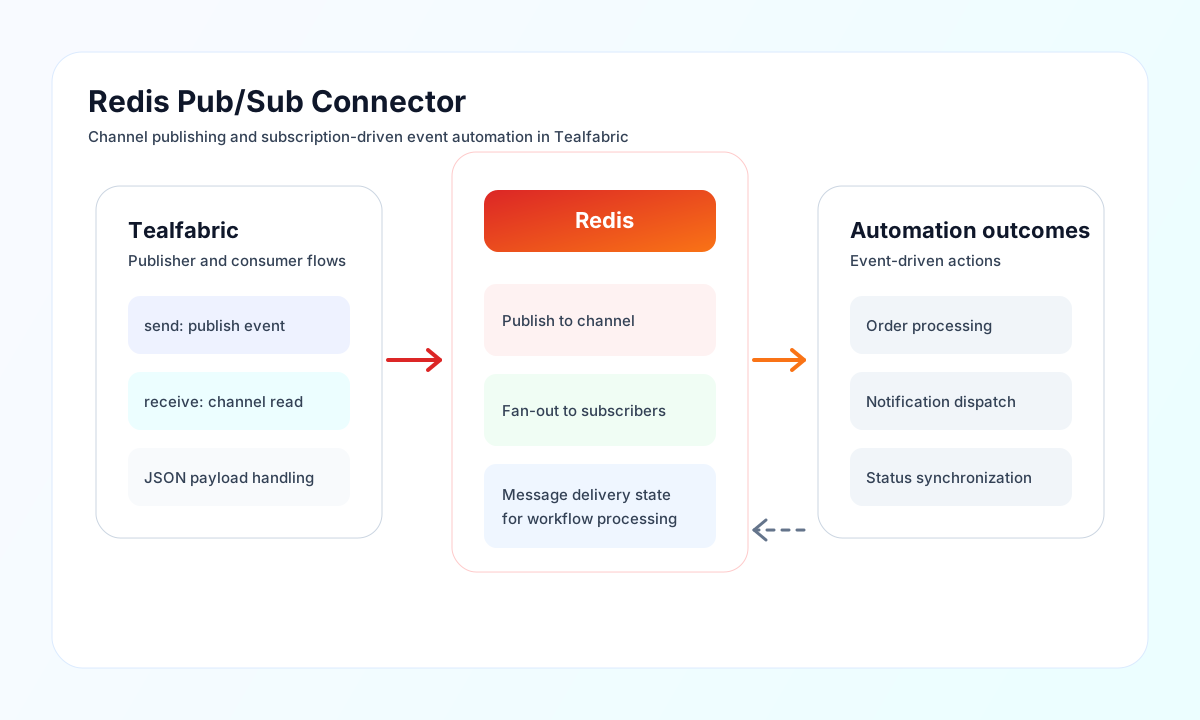
Configure Redis connection and channel defaults
Set queue_name to the default Redis channel your workflow uses most often. Configure base_url and password for your Redis deployment, and make sure network access is allowed from the runtime environment.
Use timeout_seconds to control how long receive operations wait before returning. Run test after setup to validate Redis connectivity and channel access before turning on production message flows.
Publish channel events with send
Use send to publish event payloads to a channel. For structured data, serialize JSON before sending and include stable event fields so subscribers can parse reliably.
const baseUrl = "https://api.example.com/api/v1";
const tenantId = "<TENANT_ID>";
const apiKey = "<API_KEY>";

async function publishOrderEvent(integrationId: string) {
  const response = await fetch(`${baseUrl}/integrations/${encodeURIComponent(integrationId)}/execute`, {
    method: "POST",
    headers: {
      "X-API-Key": apiKey,
      "X-Tenant-ID": tenantId,
      "Content-Type": "application/json",
    },
    body: JSON.stringify({
      operation: "send",
      channel: "orders.events",
      message: JSON.stringify({
        event: "order_created",
        order_id: "ORD-100045",
        total: 259.90,
        occurred_at: "2026-05-08T19:10:00Z"
      })
    }),
  });
  if (!response.ok) throw new Error(`Request failed: ${response.status}`);
  return response.json();
}
curl -X POST "https://api.example.com/api/v1/integrations/<ENTITY_ID>/execute" \
-H "X-API-Key: <API_KEY>" \
-H "X-Tenant-ID: <TENANT_ID>" \
-H "Content-Type: application/json" \
-d '{
"operation": "send",
"channel": "orders.events",
"message": "{\"event\":\"order_created\",\"order_id\":\"ORD-100045\",\"total\":259.90,\"occurred_at\":\"2026-05-08T19:10:00Z\"}"
}'
{
  "success": true,
  "data": {
    "published": true,
    "channel": "orders.events",
    "subscribers": 2
  }
}
Receive channel messages with receive
Use receive for consumer workflows that read messages from a channel or pattern subscription and trigger business actions. Set receive timeout carefully so workflows stay responsive during low message volume periods.
Reliability and event design guidance
Common failures include connectivity issues, authentication errors, invalid channel names, and non-JSON payload formats that subscribers cannot parse. Validate Redis connectivity and credential settings first, then confirm message schema compatibility across publishers and consumers.
For resilient event processing, include event type and timestamp fields, apply retry/backoff for transient failures, and make consumer workflows idempotent. This helps prevent duplicate side effects when messages are retried or replayed.