RabbitMQ Connector Guide
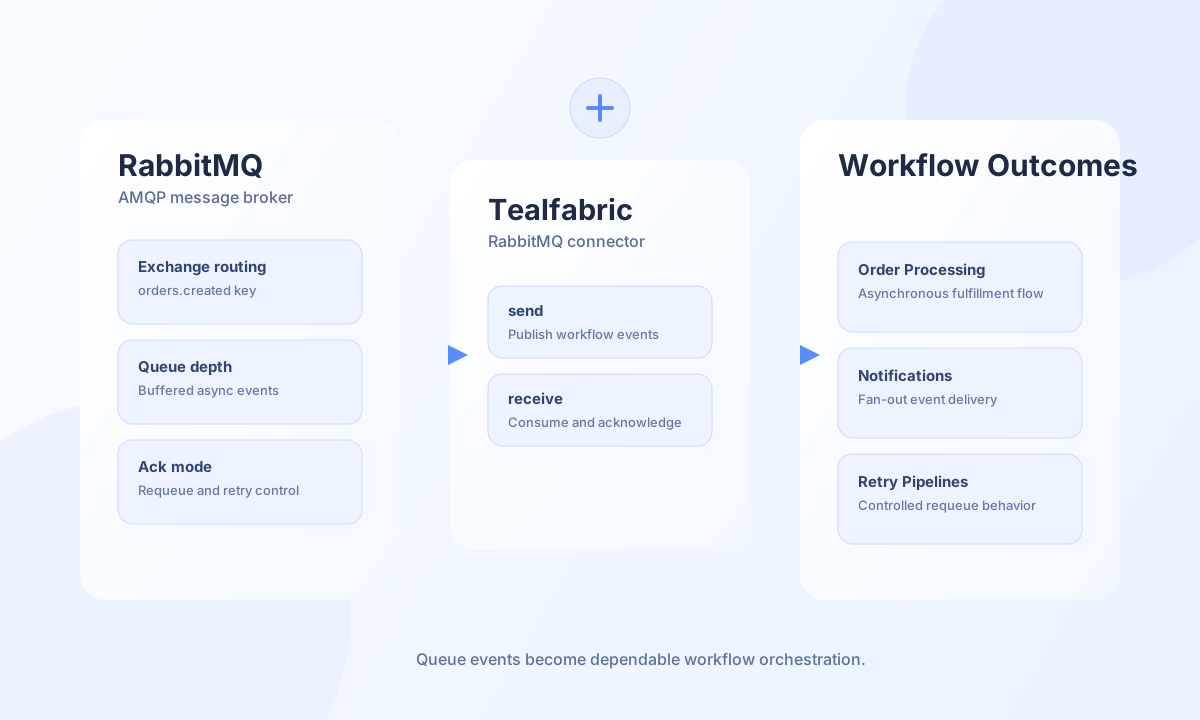
The RabbitMQ connector helps Tealfabric workflows publish and consume asynchronous messages through AMQP queues. It is useful for order processing, notifications, background jobs, and any workflow where reliable decoupling between systems improves resilience.
Document information
| Field | Value |
|---|---|
| Canonical URL | /docs/04_connecting-systems/connectors/r/rabbitmq |
| Version (published date) | 2026-05-08 |
| Tags | connectors, reference, rabbitmq |
| Connector ID | rabbitmq-1.0.0 |
Configuration and access
Before creating the integration, confirm your RabbitMQ host, credentials, and queue naming strategy. Use a dedicated service user with least-privilege permissions for production environments. If you rely on exchange routing, validate exchange and routing-key conventions across publishers and consumers.
host(required): RabbitMQ server host or IP.username(required): RabbitMQ username.password(required): RabbitMQ password.queue_name(required): Default queue name.port(optional): AMQP port, default5672.exchange_name(optional): Exchange name when routing through exchanges.management_port(optional): Management API port, default15672.timeout_seconds(optional): Request timeout in seconds, default30.
Publish messages with send
Use send when workflows need to enqueue events for asynchronous processing. Keep message shape consistent and include identifiers that allow downstream services to trace and deduplicate events.
const baseUrl = "https://api.example.com/api/v1";
const tenantId = "<TENANT_ID>";
const apiKey = "<API_KEY>";

async function publishOrderEvent(integrationId: string) {
  const response = await fetch(`${baseUrl}/integrations/${encodeURIComponent(integrationId)}/execute`, {
    method: "POST",
    headers: {
      "X-API-Key": apiKey,
      "X-Tenant-ID": tenantId,
      "Content-Type": "application/json",
    },
    body: JSON.stringify({
      operation: "send",
      routing_key: "orders.created",
      message: {
        order_id: "<ENTITY_ID>",
        customer_id: "CUS-1007",
        amount: 249.9,
        currency: "USD",
      },
    }),
  });
  if (!response.ok) throw new Error(`Request failed: ${response.status}`);
  const payload = await response.json();
  return payload.data;
}
curl -X POST "https://api.example.com/api/v1/integrations/<ENTITY_ID>/execute" \
-H "X-API-Key: <API_KEY>" \
-H "X-Tenant-ID: <TENANT_ID>" \
-H "Content-Type: application/json" \
-d '{
"operation": "send",
"routing_key": "orders.created",
"message": {
"order_id": "<ENTITY_ID>",
"customer_id": "CUS-1007",
"amount": 249.9,
"currency": "USD"
}
}'
{
  "success": true,
  "message_count": 1,
  "data": {
    "routed": true
  }
}
Consume messages with receive
Use receive to pull queued events for workflow handling. Choose acknowledgment behavior intentionally, because it controls retry semantics and data loss risk.
const baseUrl = "https://api.example.com/api/v1";
const tenantId = "<TENANT_ID>";
const apiKey = "<API_KEY>";

async function consumeOrderEvents(integrationId: string) {
  const response = await fetch(`${baseUrl}/integrations/${encodeURIComponent(integrationId)}/execute`, {
    method: "POST",
    headers: {
      "X-API-Key": apiKey,
      "X-Tenant-ID": tenantId,
      "Content-Type": "application/json",
    },
    body: JSON.stringify({
      operation: "receive",
      count: 10,
      ack_mode: "ack_requeue_false",
    }),
  });
  if (!response.ok) throw new Error(`Request failed: ${response.status}`);
  const payload = await response.json();
  return payload.data ?? [];
}
curl -X POST "https://api.example.com/api/v1/integrations/<ENTITY_ID>/execute" \
-H "X-API-Key: <API_KEY>" \
-H "X-Tenant-ID: <TENANT_ID>" \
-H "Content-Type: application/json" \
-d '{
"operation": "receive",
"count": 10,
"ack_mode": "ack_requeue_false"
}'
{
  "success": true,
  "message_count": 1,
  "data": [
    {
      "order_id": "<ENTITY_ID>",
      "customer_id": "CUS-1007"
    }
  ]
}
Reliability guidance
Most failures come from queue permission errors, routing misconfiguration, or mismatched acknowledgment modes. Validate connectivity with test before rollout, monitor queue depth and consumer lag, and use requeue modes intentionally when retry behavior is required. These controls keep queue-driven workflows predictable under load.