Redis Connector Guide
The Redis connector lets Tealfabric workflows store and retrieve low-latency key-value data for caching, session state, and workflow coordination. It is a practical choice when a process needs fast reads, short-lived values, or shared state across multiple workflow steps.
Document information
| Field | Value |
|---|---|
| Canonical URL | /docs/04_connecting-systems/connectors/r/redis |
| Version (published date) | 2026-05-08 |
| Tags | connectors, reference, redis |
| Connector ID | redis-1.0.0 |
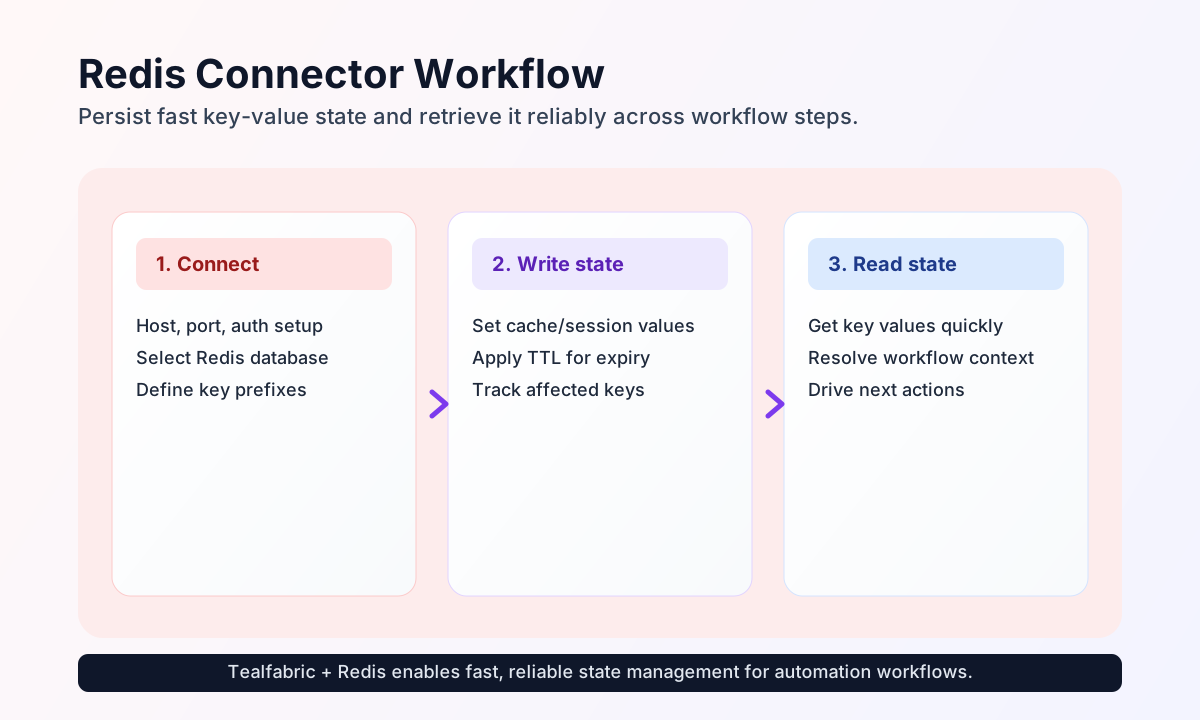
Configure Redis connection
Configure the connector with your Redis endpoint and access settings before adding data operations to workflows. Most deployments require host, and optionally port, password, database, and timeout_seconds based on your Redis environment.
Use consistent key naming conventions from the start, such as session:<id> or order:<id>:status, so your workflows can query predictable key patterns over time. This keeps cache and state operations maintainable as automation volume grows.
Write values with send
Use send to create or update Redis entries for workflow state, queue pointers, and temporary cache records. Include ttl for values that should expire automatically and avoid stale state.
const baseUrl = "https://api.example.com/api/v1";
const tenantId = "<TENANT_ID>";
const apiKey = "<API_KEY>";

async function storeSessionState(integrationId: string) {
  const response = await fetch(`${baseUrl}/integrations/${encodeURIComponent(integrationId)}/execute`, {
    method: "POST",
    headers: {
      "X-API-Key": apiKey,
      "X-Tenant-ID": tenantId,
      "Content-Type": "application/json",
    },
    body: JSON.stringify({
      operation: "send",
      command: "set",
      key: "session:abc123",
      value: "{\"user_id\":123,\"state\":\"active\"}",
      ttl: 1800
    }),
  });
  if (!response.ok) throw new Error(`Request failed: ${response.status}`);
  return response.json();
}
curl -X POST "https://api.example.com/api/v1/integrations/<ENTITY_ID>/execute" \
-H "X-API-Key: <API_KEY>" \
-H "X-Tenant-ID: <TENANT_ID>" \
-H "Content-Type: application/json" \
-d '{
"operation": "send",
"command": "set",
"key": "session:abc123",
"value": "{\"user_id\":123,\"state\":\"active\"}",
"ttl": 1800
}'
{
  "success": true,
  "affected_count": 1,
  "message": "Redis write operation completed"
}
Read values with receive
Use receive when your workflow needs to load current state, fetch cached results, or inspect key groups by pattern. Keep retrieval commands explicit so downstream steps can rely on deterministic data shape.
const baseUrl = "https://api.example.com/api/v1";
const tenantId = "<TENANT_ID>";
const apiKey = "<API_KEY>";

async function readSessionState(integrationId: string) {
  const response = await fetch(`${baseUrl}/integrations/${encodeURIComponent(integrationId)}/execute`, {
    method: "POST",
    headers: {
      "X-API-Key": apiKey,
      "X-Tenant-ID": tenantId,
      "Content-Type": "application/json",
    },
    body: JSON.stringify({
      operation: "receive",
      command: "get",
      key: "session:abc123"
    }),
  });
  if (!response.ok) throw new Error(`Request failed: ${response.status}`);
  return response.json();
}
curl -X POST "https://api.example.com/api/v1/integrations/<ENTITY_ID>/execute" \
-H "X-API-Key: <API_KEY>" \
-H "X-Tenant-ID: <TENANT_ID>" \
-H "Content-Type: application/json" \
-d '{
"operation": "receive",
"command": "get",
"key": "session:abc123"
}'
{
  "success": true,
  "data": "{\"user_id\":123,\"state\":\"active\"}",
  "total_size": 1
}
Reliability guidance
Most Redis connector failures come from network reachability, authentication mismatch, or inconsistent key naming across workflow steps. If operations fail, verify host, port, and credentials first, then validate command and key inputs.
For dependable automation behavior, apply TTL values to temporary entries, avoid broad wildcard reads during peak load, and keep key prefixes consistent across teams. This improves performance and makes operational debugging significantly easier.