QuickBooks connector guide
Document information
- Canonical URL:
/docs/04_connecting-systems/connectors/q/quickbooks - Version:
2026-05-08 - Tags:
connectors,reference,quickbooks
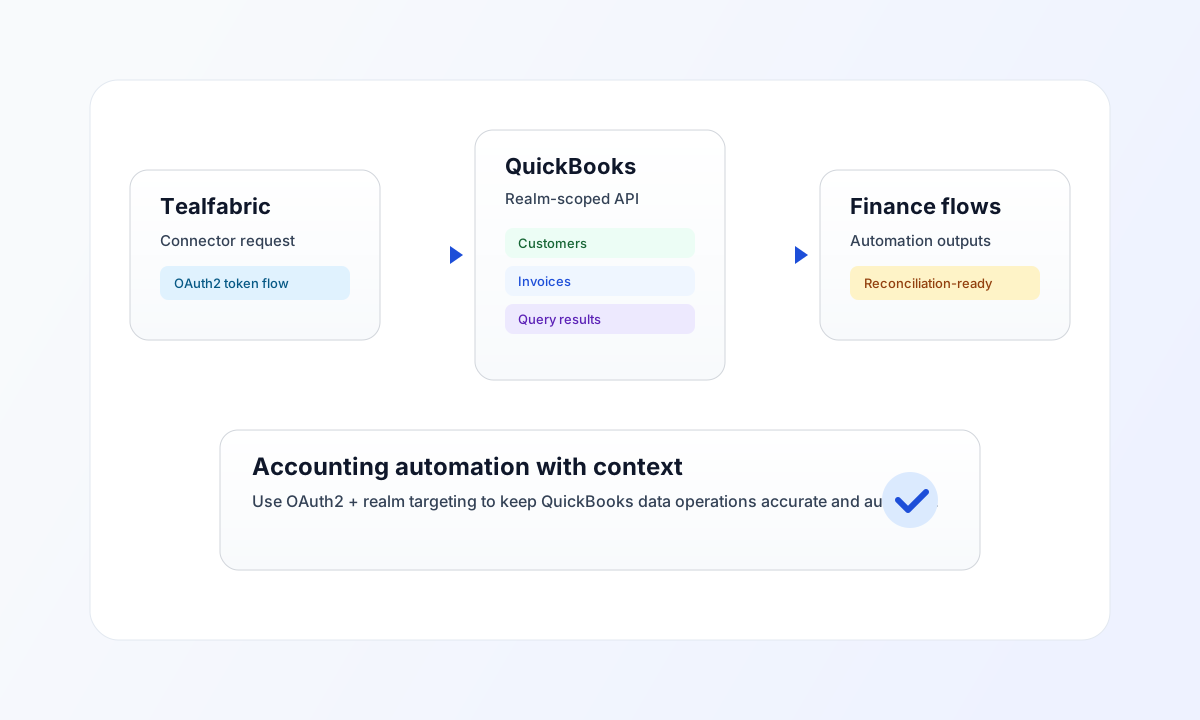
Use this connector to integrate Tealfabric workflows with QuickBooks Online for accounting operations such as customer sync, invoice creation, and query-based reconciliation. It relies on OAuth2 and requires a valid realm_id (company ID) for API requests.
Connector setup
Use connector ID quickbooks-1.0.0 and configure client_id, client_secret, and redirect_uri from your Intuit app settings. After OAuth authorization, store access_token, refresh_token, and realm_id in the integration configuration so requests can target the correct company context.
Use scope com.intuit.quickbooks.accounting unless your integration needs additional grants. Keep token and secret values in secure storage and rotate credentials as part of your standard operations policy.
Common QuickBooks usage patterns
Use send for create or update actions, such as writing customers or invoices, and use receive for lookup or query operations. QuickBooks query calls typically use the query endpoint with SQL-like statements, so filter early and keep result sizes constrained.
For high-volume accounting sync, process in controlled batches and apply retry backoff for transient failures. This reduces contention with rate limits and keeps accounting automations predictable.
Code examples
The examples below show connector-native receive calls. Do not prefix endpoint with realm_id; the connector prepends realm_id from configuration automatically.
type QbCustomer = { Id: string; DisplayName?: string; CompanyName?: string };

async function queryCustomers(
  connectorExecute: (operation: string, input: Record<string, unknown>) => Promise<unknown>
): Promise<QbCustomer[]> {
  const payload = (await connectorExecute("receive", {
    endpoint: "query",
    query: {
      query: "SELECT Id, DisplayName, CompanyName FROM Customer MAXRESULTS 10",
    },
  })) as {
    success: boolean;
    data?: { message_count: number; data: QbCustomer[]; total_size: number };
  };
  if (!payload.success || !payload.data?.data) {
    throw new Error("QuickBooks customer query failed");
  }
  return payload.data.data;
}
API request example
Use this request to query customer records through a configured QuickBooks integration.
curl -X POST "https://api.example.com/api/v1/integrations/<INTEGRATION_ID>/execute" \
  -H "X-API-Key: <API_KEY>" \
  -H "X-Tenant-ID: <TENANT_ID>" \
  -H "Content-Type: application/json" \
  -d '{
    "operation": "receive",
    "endpoint": "query",
    "query": {
      "query": "SELECT Id, DisplayName, CompanyName FROM Customer MAXRESULTS 10"
    }
  }'
{
  "success": true,
  "data": {
    "message_count": 1,
    "total_size": 1,
    "data": [
      {
        "Id": "1",
        "DisplayName": "Acme Corporation",
        "CompanyName": "Acme Corporation"
      }
    ]
  }
}
test operation
The test operation validates client_id, client_secret, and redirect_uri, then probes GET {realm_id}/query?query=SELECT * FROM CompanyInfo MAXRESULTS 1. Other operations require access_token and realm_id but do not re-validate OAuth app credentials on every call.
Reliability and troubleshooting
If requests fail with authentication errors, verify token freshness and confirm OAuth2 setup includes the expected scope and redirect URI. If results are empty or inconsistent, validate that the correct realm_id is being used in the endpoint path.
For sustained workloads, use incremental QBQL queries and asynchronous execution to avoid unnecessary load spikes. Continue with OAuth2 authentication guide and Integration workers guide for auth and scale patterns.