Qlik Sense Connector Guide
The Qlik Sense connector lets you automate business intelligence workflows by reading analytics data from Qlik Sense and writing updates to app objects through controlled API calls. It is useful when you need to move dashboard data into downstream processes or trigger Qlik updates from operational events.
Document information
| Field | Value |
|---|---|
| Canonical URL | /docs/04_connecting-systems/connectors/q/qlik-sense |
| Version (published date) | 2026-05-08 |
| Tags | connectors, reference, qlik-sense |
| Connector ID | qlik-sense-1.0.0 |
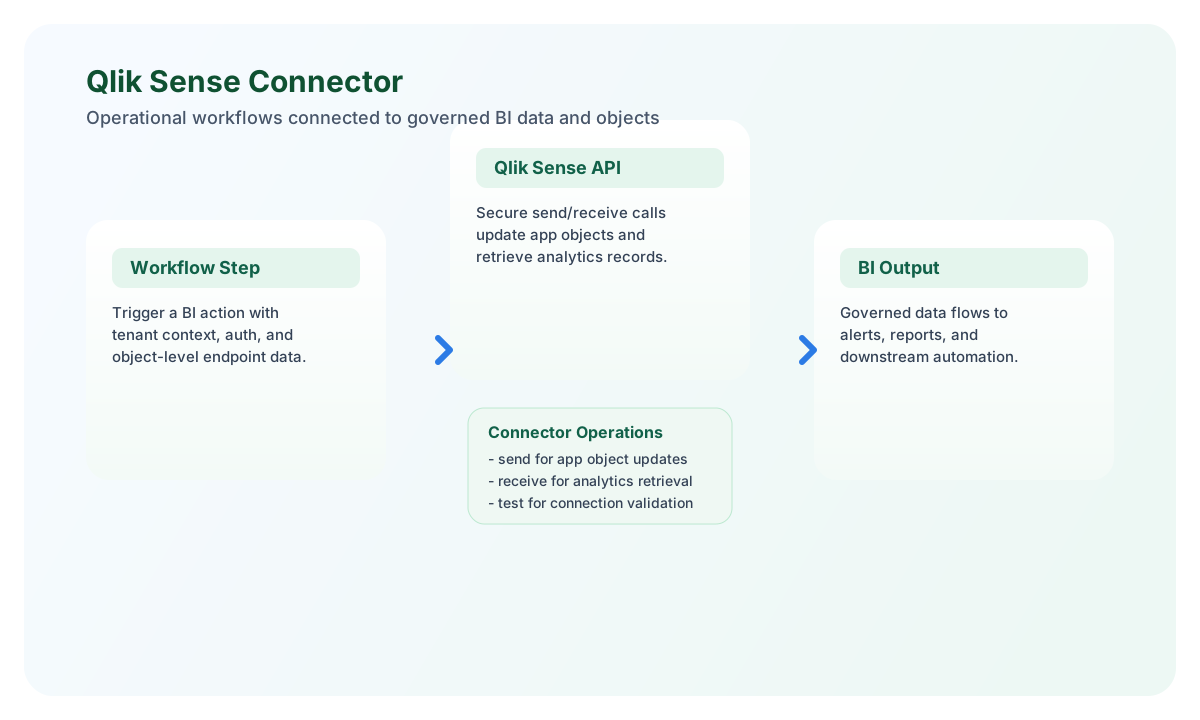
Configure your Qlik Sense connection
Set base_url to your Qlik Sense tenant URL and provide api_key from your Qlik Sense environment. The connector sends requests to this base URL for both data retrieval and object updates, so confirm your tenant path and permissions before enabling production runs.
Use timeout_seconds to handle larger analytics queries that can take longer to execute. After configuration, run test to confirm authentication and connectivity before building dependent workflow steps.
Send updates to Qlik Sense with send
Use send when you need to create or update resources such as app objects, reload tasks, or metadata records exposed by your Qlik Sense API endpoint. Keep payloads focused and include only fields required for the target object to reduce validation errors.
const baseUrl = "https://api.example.com/api/v1";
const tenantId = "<TENANT_ID>";
const apiKey = "<API_KEY>";

async function updateQlikObject(integrationId: string) {
  const response = await fetch(`${baseUrl}/integrations/${encodeURIComponent(integrationId)}/execute`, {
    method: "POST",
    headers: {
      "X-API-Key": apiKey,
      "X-Tenant-ID": tenantId,
      "Content-Type": "application/json",
    },
    body: JSON.stringify({
      operation: "send",
      endpoint: "/api/v1/apps/<ENTITY_ID>/objects",
      data: {
        title: "Sales Performance KPI",
        type: "measure",
        expression: "Sum(Sales)"
      }
    }),
  });
  if (!response.ok) throw new Error(`Request failed: ${response.status}`);
  return response.json();
}
curl -X POST "https://api.example.com/api/v1/integrations/<ENTITY_ID>/execute" \
-H "X-API-Key: <API_KEY>" \
-H "X-Tenant-ID: <TENANT_ID>" \
-H "Content-Type: application/json" \
-d '{
"operation": "send",
"endpoint": "/api/v1/apps/<ENTITY_ID>/objects",
"data": {
"title": "Sales Performance KPI",
"type": "measure",
"expression": "Sum(Sales)"
}
}'
{
  "success": true,
  "message": "Object updated successfully",
  "result": {
    "object_id": "<ENTITY_ID>",
    "app_id": "<ENTITY_ID>",
    "status": "updated"
  }
}
Retrieve analytics records with receive
Use receive when you want to pull data sets, object metadata, or filtered records from Qlik Sense endpoints into a workflow. Add explicit query filters and limits to keep responses predictable and avoid over-fetching large data sets.
const baseUrl = "https://api.example.com/api/v1";
const tenantId = "<TENANT_ID>";
const apiKey = "<API_KEY>";

async function listQlikObjects(integrationId: string) {
  const response = await fetch(`${baseUrl}/integrations/${encodeURIComponent(integrationId)}/execute`, {
    method: "POST",
    headers: {
      "X-API-Key": apiKey,
      "X-Tenant-ID": tenantId,
      "Content-Type": "application/json",
    },
    body: JSON.stringify({
      operation: "receive",
      endpoint: "/api/v1/apps/<ENTITY_ID>/objects",
      query: {
        limit: 25,
        filter: "type=measure"
      }
    }),
  });
  if (!response.ok) throw new Error(`Request failed: ${response.status}`);
  return response.json();
}
curl -X POST "https://api.example.com/api/v1/integrations/<ENTITY_ID>/execute" \
-H "X-API-Key: <API_KEY>" \
-H "X-Tenant-ID: <TENANT_ID>" \
-H "Content-Type: application/json" \
-d '{
"operation": "receive",
"endpoint": "/api/v1/apps/<ENTITY_ID>/objects",
"query": {
"limit": 25,
"filter": "type=measure"
}
}'
{
  "success": true,
  "message": "Data retrieved successfully",
  "record_count": 2,
  "data": [
    {
      "object_id": "<ENTITY_ID>",
      "title": "Sales Performance KPI",
      "type": "measure"
    },
    {
      "object_id": "<ENTITY_ID>",
      "title": "Margin Trend",
      "type": "measure"
    }
  ]
}
Reliability and troubleshooting
Most connector issues are caused by invalid API keys, endpoint path mismatches, or throttling responses from the Qlik Sense service. Verify that the API key has permission for the endpoint you are calling and confirm that your endpoint path is valid for your tenant configuration.
For production stability, implement retry logic for transient failures, set sensible timeouts, and run regular connection tests after key rotation. These practices keep BI automations predictable as data volume and query frequency increase.