Linode API Connector Guide
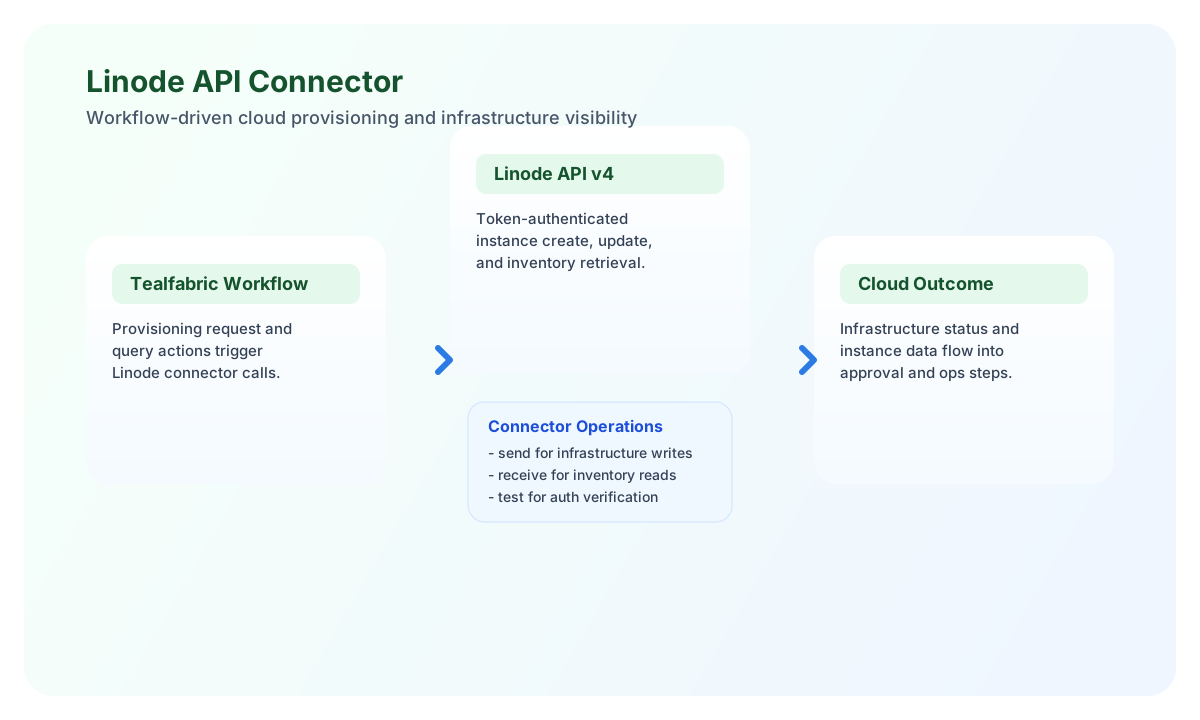
The Linode API connector helps you automate Linode infrastructure tasks from Tealfabric workflows, including creating cloud instances and retrieving inventory data. It is best suited for teams that need repeatable infrastructure actions tied to operational events, approvals, or deployment pipelines.
Document information
| Field | Value |
|---|---|
| Canonical URL | /docs/04_connecting-systems/connectors/l/linode-api |
| Version (published date) | 2026-05-08 |
| Tags | connectors, reference, linode-api |
| Connector ID | linode-api-1.0.0 |
Configure your Linode connection
Set api_token to a Linode personal access token with permissions for the resources your workflow will manage. Use a token scoped to the minimum required access, and rotate it regularly to keep automation secure.
You can keep base_url at the default value of https://api.linode.com/v4 unless you have a specific routing requirement. Set timeout_seconds higher for long-running operations such as instance creation and then validate your setup with test, which checks connectivity against the Linode profile endpoint.
Create infrastructure resources with send
Use send for write operations such as creating, updating, or deleting Linode resources. In most workflows, this operation is used to provision new instances or apply configuration changes after approvals.
const baseUrl = "https://api.example.com/api/v1";
const tenantId = "<TENANT_ID>";
const apiKey = "<API_KEY>";

async function createLinodeInstance(integrationId: string) {
  const response = await fetch(`${baseUrl}/integrations/${encodeURIComponent(integrationId)}/execute`, {
    method: "POST",
    headers: {
      "X-API-Key": apiKey,
      "X-Tenant-ID": tenantId,
      "Content-Type": "application/json",
    },
    body: JSON.stringify({
      operation: "send",
      method: "POST",
      endpoint: "linode/instances",
      data: {
        region: "us-east",
        type: "g6-nanode-1",
        image: "linode/ubuntu22.04",
        label: "workflow-managed-node"
      }
    }),
  });
  if (!response.ok) throw new Error(`Request failed: ${response.status}`);
  return response.json();
}
curl -X POST "https://api.example.com/api/v1/integrations/<ENTITY_ID>/execute" \
-H "X-API-Key: <API_KEY>" \
-H "X-Tenant-ID: <TENANT_ID>" \
-H "Content-Type: application/json" \
-d '{
"operation": "send",
"method": "POST",
"endpoint": "linode/instances",
"data": {
"region": "us-east",
"type": "g6-nanode-1",
"image": "linode/ubuntu22.04",
"label": "workflow-managed-node"
}
}'
{
  "success": true,
  "data": {
    "message_count": 1,
    "response": {
      "id": 12345678,
      "label": "workflow-managed-node",
      "status": "provisioning"
    },
    "http_status": 200
  }
}
Retrieve infrastructure data with receive
Use receive for read operations such as listing instances, checking deployment state, or pulling metadata for reporting workflows. Add filtering and limits through query parameters so responses stay small and predictable.
const baseUrl = "https://api.example.com/api/v1";
const tenantId = "<TENANT_ID>";
const apiKey = "<API_KEY>";

async function listLinodeInstances(integrationId: string) {
  const response = await fetch(`${baseUrl}/integrations/${encodeURIComponent(integrationId)}/execute`, {
    method: "POST",
    headers: {
      "X-API-Key": apiKey,
      "X-Tenant-ID": tenantId,
      "Content-Type": "application/json",
    },
    body: JSON.stringify({
      operation: "receive",
      endpoint: "linode/instances",
      query: {
        page: 1,
        page_size: 20
      }
    }),
  });
  if (!response.ok) throw new Error(`Request failed: ${response.status}`);
  return response.json();
}
curl -X POST "https://api.example.com/api/v1/integrations/<ENTITY_ID>/execute" \
-H "X-API-Key: <API_KEY>" \
-H "X-Tenant-ID: <TENANT_ID>" \
-H "Content-Type: application/json" \
-d '{
"operation": "receive",
"endpoint": "linode/instances",
"query": {
"page": 1,
"page_size": 20
}
}'
{
  "success": true,
  "data": {
    "message_count": 2,
    "data": [
      {
        "id": 12345678,
        "label": "workflow-managed-node",
        "status": "running"
      },
      {
        "id": 87654321,
        "label": "batch-worker",
        "status": "offline"
      }
    ],
    "total_size": 2,
    "http_status": 200,
    "page": 1,
    "pages": 3
  }
}
Reliability and error handling
The most common failures are authentication errors (401), validation errors (400), rate limiting (429), and transient network timeouts. Validate token scope, confirm endpoint paths, and check payload requirements before retrying write operations.
For production workflows, apply exponential backoff for temporary failures and always inspect the connector success field before proceeding to dependent steps. This keeps your infrastructure automations safe, observable, and resilient.