LinkedIn API Connector Guide
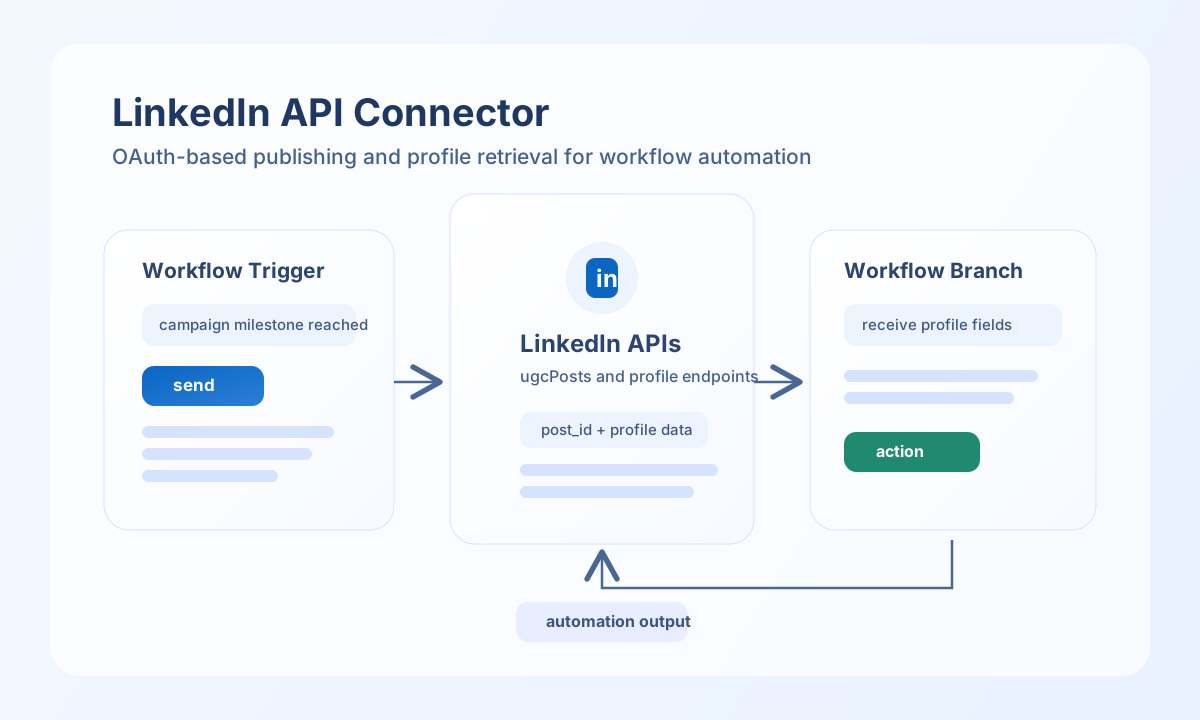
The LinkedIn API connector helps Tealfabric workflows publish member content and retrieve profile or organization data through OAuth-authenticated API calls. It is useful for automating social publishing, enrichment, and downstream engagement workflows.
Document information
| Field | Value |
|---|---|
| Canonical URL | /docs/04_connecting-systems/connectors/l/linkedin |
| Version (published date) | 2026-05-08 |
| Tags | connectors, reference, linkedin |
| Connector ID | linkedin-1.0.0 |
Configure OAuth access
Set client_id, client_secret, and redirect_uri from your LinkedIn app configuration in the developer portal. Keep these credentials protected because they control token issuance for all connector calls.
Store access_token and refresh_token when available, and set scope to only the permissions your workflow requires, such as w_member_social for publishing or profile read scopes for enrichment. Run test after setup to confirm token validity and API connectivity.
test validates OAuth app configuration (client_id, client_secret, redirect_uri) and probes GET userinfo. Other operations (send, receive, sync, batch) require a valid access_token but do not re-validate OAuth app credentials up front.
Publish content with send
Use send to create LinkedIn posts from workflow events such as product releases, campaign milestones, or operational updates. Keep payloads explicit and aligned with LinkedIn visibility and author URN requirements.
const baseUrl = "https://api.example.com/api/v1";
const tenantId = "<TENANT_ID>";
const apiKey = "<API_KEY>";

async function publishLinkedInPost(integrationId: string) {
  const response = await fetch(`${baseUrl}/integrations/${encodeURIComponent(integrationId)}/execute`, {
    method: "POST",
    headers: {
      "X-API-Key": apiKey,
      "X-Tenant-ID": tenantId,
      "Content-Type": "application/json",
    },
    body: JSON.stringify({
      operation: "send",
      endpoint: "ugcPosts",
      method: "POST",
      data: {
        author: "urn:li:person:<ENTITY_ID>",
        lifecycleState: "PUBLISHED",
        specificContent: {
          "com.linkedin.ugc.ShareContent": {
            shareCommentary: {
              text: "New integration release is live."
            },
            shareMediaCategory: "NONE"
          }
        },
        visibility: {
          "com.linkedin.ugc.MemberNetworkVisibility": "PUBLIC"
        }
      }
    }),
  });
  if (!response.ok) throw new Error(`Request failed: ${response.status}`);
  return response.json();
}
curl -X POST "https://api.example.com/api/v1/integrations/<ENTITY_ID>/execute" \
-H "X-API-Key: <API_KEY>" \
-H "X-Tenant-ID: <TENANT_ID>" \
-H "Content-Type: application/json" \
-d '{
"operation": "send",
"endpoint": "ugcPosts",
"method": "POST",
"data": {
"author": "urn:li:person:<ENTITY_ID>",
"lifecycleState": "PUBLISHED",
"specificContent": {
"com.linkedin.ugc.ShareContent": {
"shareCommentary": {"text": "New integration release is live."},
"shareMediaCategory": "NONE"
}
},
"visibility": {
"com.linkedin.ugc.MemberNetworkVisibility": "PUBLIC"
}
}
}'
{
  "success": true,
  "data": {
    "message_count": 1,
    "data": {
      "id": "<ENTITY_ID>",
      "lifecycleState": "PUBLISHED"
    },
    "response": {
      "id": "<ENTITY_ID>",
      "lifecycleState": "PUBLISHED"
    }
  }
}
Retrieve LinkedIn data with receive
Use receive to fetch profile or organization fields for personalization, verification, or analytics. Query projection and pagination parameters help keep response payloads small and predictable.
const baseUrl = "https://api.example.com/api/v1";
const tenantId = "<TENANT_ID>";
const apiKey = "<API_KEY>";

async function fetchMemberProfile(integrationId: string) {
  const response = await fetch(`${baseUrl}/integrations/${encodeURIComponent(integrationId)}/execute`, {
    method: "POST",
    headers: {
      "X-API-Key": apiKey,
      "X-Tenant-ID": tenantId,
      "Content-Type": "application/json",
    },
    body: JSON.stringify({
      operation: "receive",
      endpoint: "people/~",
      query: {
        projection: "(id,firstName,lastName,headline)"
      }
    }),
  });
  if (!response.ok) throw new Error(`Request failed: ${response.status}`);
  return response.json();
}
curl -X POST "https://api.example.com/api/v1/integrations/<ENTITY_ID>/execute" \
-H "X-API-Key: <API_KEY>" \
-H "X-Tenant-ID: <TENANT_ID>" \
-H "Content-Type: application/json" \
-d '{
"operation": "receive",
"endpoint": "people/~",
"query": {
"projection": "(id,firstName,lastName,headline)"
}
}'
{
  "success": true,
  "data": {
    "message_count": 1,
    "data": [
      {
        "id": "<ENTITY_ID>",
        "firstName": "Alex",
        "lastName": "Lee",
        "headline": "Product Operations Lead"
      }
    ],
    "total_size": 1
  }
}
Production guidance
LinkedIn enforces permission and rate controls that vary by endpoint, so production workflows should request only required scopes and use conservative request pacing. This minimizes failed calls and helps keep automation stable during peak publishing windows.
Most failures come from expired tokens, missing app permissions, or endpoint-specific access constraints. Re-test the connector after credential rotations and monitor error responses for scope or approval requirements before scaling usage.
Related resources
For endpoint behavior and permission requirements, see the LinkedIn API documentation and LinkedIn authentication guide.