Lever connector guide
Document information
- Canonical URL:
/docs/04_connecting-systems/connectors/l/lever - Version:
2026-05-08 - Tags:
connectors,reference,lever
This guide shows how to connect Tealfabric to Lever for recruiting workflows such as candidate sync, posting lookups, and application updates. It covers authentication, common operation patterns, and reliability practices for production integrations.
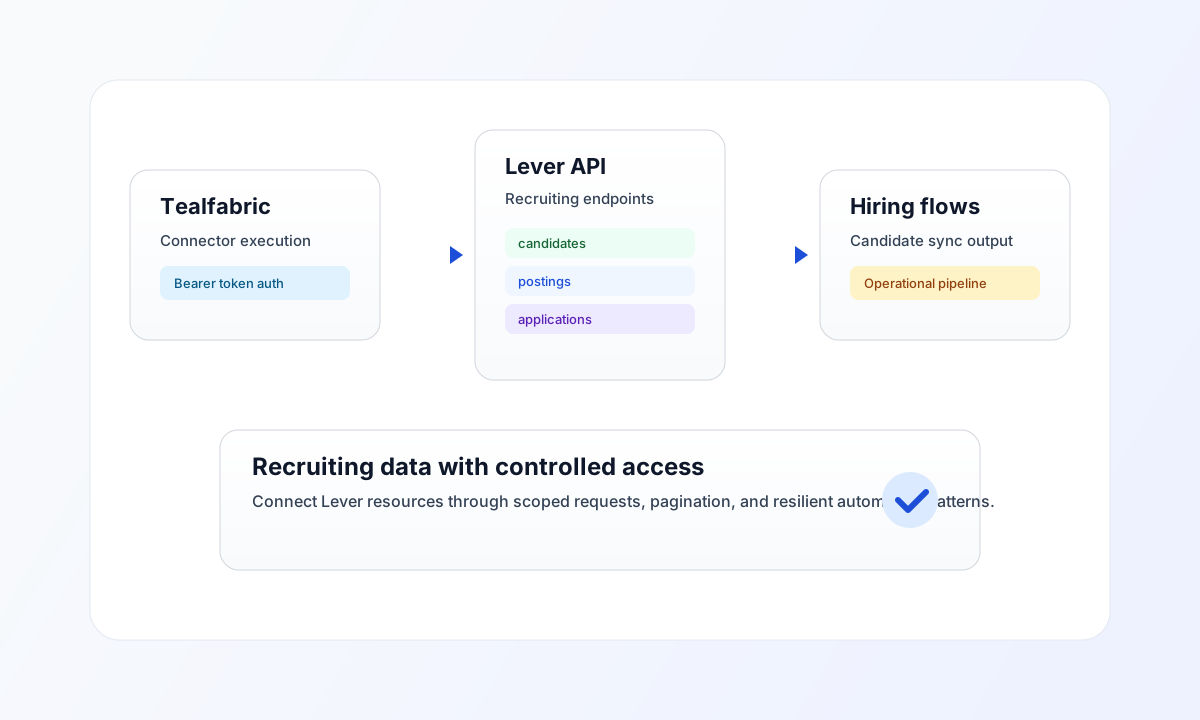
Connector configuration
Use connector ID lever-1.0.0 and configure a Lever API bearer token in integration settings. Keep the token in secure storage and rotate it based on your organization policy to reduce credential risk.
The default API base URL is https://api.lever.co/v1, which is correct for most deployments. If you tune request behavior, set timeout_seconds conservatively so long-running calls do not block process steps.
Common operation patterns
The Lever connector typically uses receive for reads and send for create or update operations. Common endpoints include candidates, postings, and candidates/{candidate_id}/applications, with pagination through limit and offset on list requests.
For high-volume recruitment pipelines, prefer incremental fetches with filters and process batches asynchronously. This avoids rate-limit pressure and keeps automations responsive under peak load.
Code examples
The snippets below show an aligned pattern for listing candidates from Lever through an authenticated connector request.
const baseUrl = "https://api.example.com/api/v1";
const tenantId = "<TENANT_ID>";
const apiKey = "<API_KEY>";

type LeverCandidate = { id: string; name?: string; headline?: string };

async function listLeverCandidates(integrationId: string): Promise<LeverCandidate[]> {
  const response = await fetch(`${baseUrl}/integrations/${encodeURIComponent(integrationId)}/execute`, {
    method: "POST",
    headers: {
      "X-API-Key": apiKey,
      "X-Tenant-ID": tenantId,
      "Content-Type": "application/json",
    },
    body: JSON.stringify({
      operation: "receive",
      endpoint: "candidates",
      query: { limit: 10, offset: 0 },
    }),
  });
  if (!response.ok) throw new Error(`Request failed: ${response.status}`);
  const payload = (await response.json()) as { data?: LeverCandidate[] };
  if (!payload.data) throw new Error("Missing candidate payload");
  return payload.data;
}
API request example
Use this request to execute a Lever receive operation and retrieve a paginated candidate list.
curl -X POST "https://api.example.com/api/v1/integrations/<ENTITY_ID>/execute" \
  -H "X-API-Key: <API_KEY>" \
  -H "X-Tenant-ID: <TENANT_ID>" \
  -H "Content-Type: application/json" \
  -d '{
    "operation": "receive",
    "endpoint": "candidates",
    "query": {
      "limit": 10,
      "offset": 0
    }
  }'
{
  "success": true,
  "data": [
    {
      "id": "<ENTITY_ID>",
      "name": "Jordan Smith",
      "headline": "Senior Product Designer"
    }
  ],
  "message_count": 1
}
Reliability and troubleshooting
If requests fail, validate token scope first, then check endpoint spelling and payload format against Lever API expectations. For repeated throttling, reduce request burst size, add retry backoff, and schedule large sync jobs asynchronously.
For broader implementation patterns, continue with Integration workers guide and OAuth2 authentication guide.