Jina AI Embeddings Connector Guide
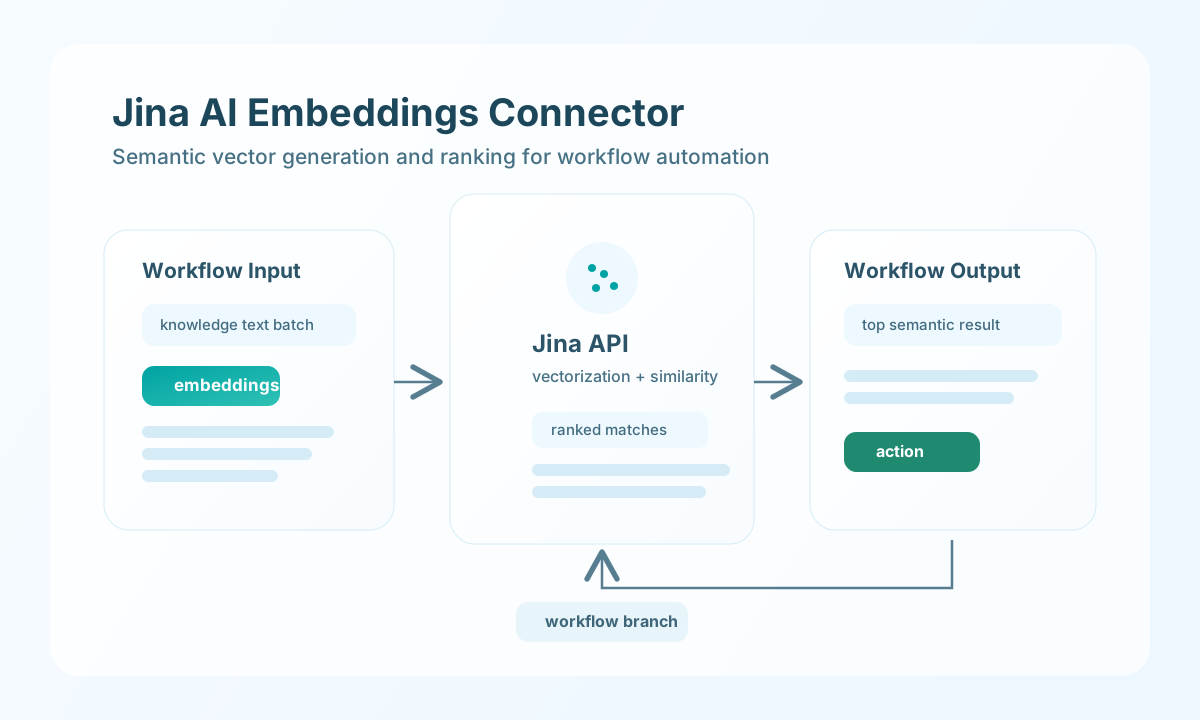
The Jina AI Embeddings connector lets Tealfabric workflows generate semantic vectors and run relevance matching for retrieval workflows. It is useful for search enrichment, document ranking, and RAG-style content selection.
Document information
| Field | Value |
|---|---|
| Canonical URL | /docs/04_connecting-systems/connectors/j/jina-ai-embeddings |
| Version (published date) | 2026-05-08 |
| Tags | connectors, reference, jina-ai-embeddings |
| Connector ID | jina-ai-embeddings-1.0.0 |
Configure API access
Set api_key from your Jina AI account and keep it in secure connector storage, because every request is authenticated with bearer-token headers. If your deployment supports multiple embedding models, set model explicitly so output dimensions stay consistent across workflow runs.
Set timeout_seconds higher for larger batch requests to reduce timeout failures in production. Run test before enabling retrieval workflows so authentication and endpoint connectivity are confirmed.
api_key, model, and timeout_seconds are integration configuration parameters—not callData fields on each operation. Success responses use the legacy flat connector shape (embedding_count, embeddings, results, and so on at the top level, not nested under data).
Generate embeddings with embeddings
Use embeddings to convert text inputs into vectors for indexing, similarity comparison, and ranking. Batch inputs are generally more efficient than single-item requests. Pass texts via input or the legacy alias texts (string or array).
const baseUrl = "https://api.example.com/api/v1";
const tenantId = "<TENANT_ID>";
const apiKey = "<API_KEY>";

async function embedKnowledgeSnippets(integrationId: string) {
  const response = await fetch(`${baseUrl}/integrations/${encodeURIComponent(integrationId)}/execute`, {
    method: "POST",
    headers: {
      "X-API-Key": apiKey,
      "X-Tenant-ID": tenantId,
      "Content-Type": "application/json",
    },
    body: JSON.stringify({
      operation: "embeddings",
      input: [
        "How to reset API credentials safely",
        "Troubleshooting authentication failures",
        "Production incident escalation checklist"
      },
      model: "jina-embeddings-v2-base-en"
    }),
  });
  if (!response.ok) throw new Error(`Request failed: ${response.status}`);
  return response.json();
}
curl -X POST "https://api.example.com/api/v1/integrations/<ENTITY_ID>/execute" \
-H "X-API-Key: <API_KEY>" \
-H "X-Tenant-ID: <TENANT_ID>" \
-H "Content-Type: application/json" \
-d '{
"operation": "embeddings",
"input": [
"How to reset API credentials safely",
"Troubleshooting authentication failures",
"Production incident escalation checklist"
],
"model": "jina-embeddings-v2-base-en"
}'
{
  "success": true,
  "embedding_count": 3,
  "embeddings": [
    {
      "object": "embedding",
      "index": 0,
      "embedding": [0.01, -0.02]
    }
  ],
  "model": "jina-embeddings-v2-base-en",
  "data": {
    "model": "jina-embeddings-v2-base-en",
    "data": [
      {
        "object": "embedding",
        "index": 0,
        "embedding": [0.01, -0.02]
      }
    ]
  }
}
Run semantic ranking with search
Use search to compare a query against candidate documents and return ranked similarity results. This is useful when your workflow needs to pick the most relevant guidance or response template.
const baseUrl = "https://api.example.com/api/v1";
const tenantId = "<TENANT_ID>";
const apiKey = "<API_KEY>";

async function rankSupportAnswers(integrationId: string) {
  const response = await fetch(`${baseUrl}/integrations/${encodeURIComponent(integrationId)}/execute`, {
    method: "POST",
    headers: {
      "X-API-Key": apiKey,
      "X-Tenant-ID": tenantId,
      "Content-Type": "application/json",
    },
    body: JSON.stringify({
      operation: "search",
      query: "How do I troubleshoot authentication token errors?",
      documents: [
        "Reset the API key and verify token scopes.",
        "Review deployment rollout procedures.",
        "Check file storage retention policy."
      }
    }),
  });
  if (!response.ok) throw new Error(`Request failed: ${response.status}`);
  return response.json();
}
curl -X POST "https://api.example.com/api/v1/integrations/<ENTITY_ID>/execute" \
-H "X-API-Key: <API_KEY>" \
-H "X-Tenant-ID: <TENANT_ID>" \
-H "Content-Type: application/json" \
-d '{
"operation": "search",
"query": "How do I troubleshoot authentication token errors?",
"documents": [
"Reset the API key and verify token scopes.",
"Review deployment rollout procedures.",
"Check file storage retention policy."
]
}'
{
  "success": true,
  "embedding_count": 3,
  "results": [
    {
      "document": "Reset the API key and verify token scopes.",
      "similarity": 0.92,
      "index": 0
    }
  ],
  "query": "How do I troubleshoot authentication token errors?"
}
Validate connectivity with test
Use test to confirm api_key authentication. The connector probes POST /v1/embeddings with input: ["test"] (no configured model in the probe body, matching legacy behavior).
{
  "success": true,
  "message": "Jina AI Embeddings connection test successful",
  "details": {
    "endpoint": "https://api.jina.ai/v1",
    "model": "jina-embeddings-v2-base-en"
  }
}
Production guidance
Embedding quality and storage cost are tightly tied to model choice and vector dimensions, so standardize on a model before broad rollout. Mixing models across environments can lead to inconsistent search behavior and ranking quality.
Most runtime issues come from exhausted rate limits, oversized batches, and missing API credentials. Use backoff logic for 429 responses, monitor request volume, and validate input payloads before calling embedding operations at scale.
Related resources
For model capabilities and API details, see Jina AI Embeddings and Jina API docs.