ProcessFlow: PDF OCR
Document information
- Canonical URL:
/docs/02_automations-and-processflow/36-Processflow_PDF_OCR - Version:
2026-05-08 - Tags:
processflow,reference,processflow-pdf-ocr
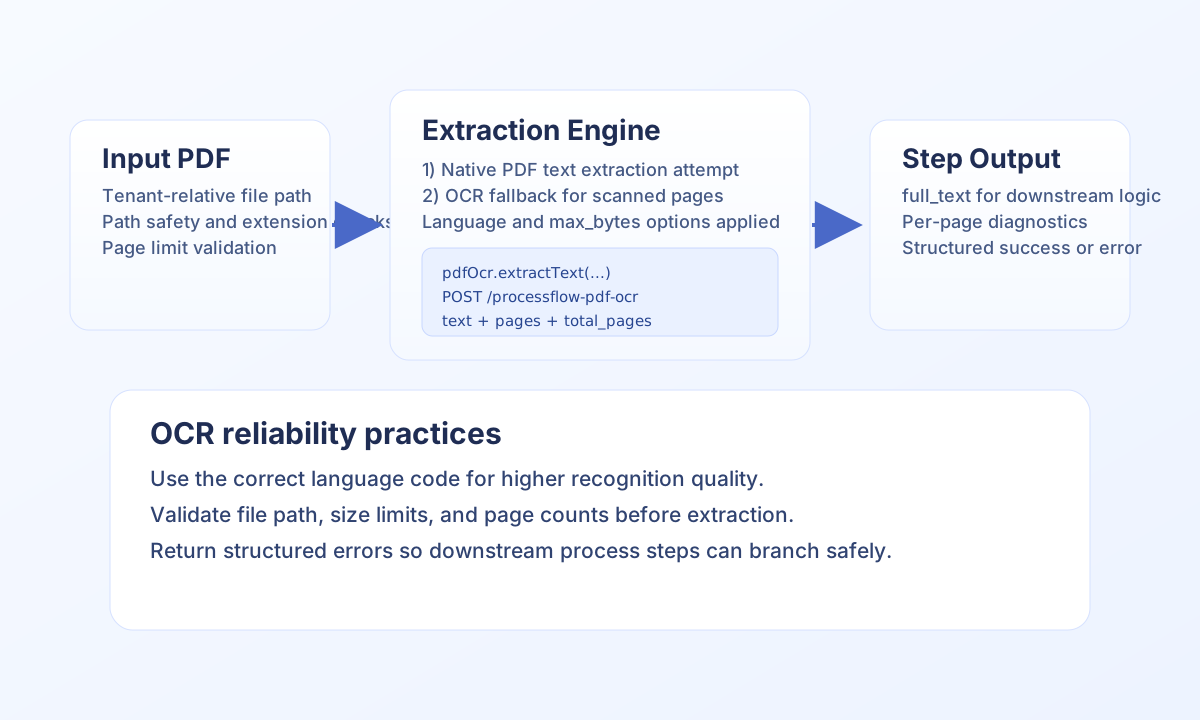
ProcessFlow can extract text from both text-based and scanned PDFs in tenant storage. The platform attempts native text extraction first and falls back to OCR when needed, so one integration path can handle mixed document quality. Use this guide when your automation needs searchable text from invoices, contracts, forms, or archival scans.
Choose your integration path
For most process steps, use the injected pdfOcr service because it does not require endpoint or authentication management inside snippet code. If your architecture prefers HTTP-style service calls, use the internal PDF OCR API endpoint with the same behavior and options.
In both paths, file references must stay inside tenant-scoped storage and use relative paths such as platforms/25/receipts/invoice.pdf. Invalid paths, unsupported extensions, or non-existent files are rejected before extraction starts.
Extract text with the pdfOcr service
Call extractText with a relative PDF path and optional options such as language and max_bytes. On success, you get combined text plus per-page details; on failure, handle success: false and return a structured process error.
type OcrResult = {
  success: boolean;
  text?: string;
  total_pages?: number;
  error?: string;
};

function runPdfOcr(pdfOcr: { extractText(path: string, options?: Record<string, unknown>): OcrResult }, filePath: string) {
  const result = pdfOcr.extractText(filePath, { language: "eng", max_bytes: 2_000_000 });
  if (!result.success) {
    return { success: false, error: { code: "PDF_OCR_FAILED", message: result.error ?? "Could not extract PDF text" } };
  }
  return { success: true, data: { full_text: result.text ?? "", total_pages: result.total_pages ?? 0 } };
}
Use API mode when you need endpoint-based orchestration
When invoking OCR via API, call POST /api/v1/processflow-pdf-ocr with file_path and optional options. Include authorization and tenant headers so access control and audit behavior match normal ProcessFlow execution.
curl -X POST "https://<YOUR_DOMAIN>/api/v1/processflow-pdf-ocr" \
  -H "X-API-Key: <API_KEY>" \
  -H "X-Tenant-ID: <TENANT_ID>" \
  -H "Content-Type: application/json" \
  -d '{
    "file_path": "platforms/25/receipts/invoice-2026-05.pdf",
    "options": {
      "language": "eng",
      "max_bytes": 2000000
    }
  }'
{
  "success": true,
  "data": {
    "text": "Invoice #INV-2048 ...",
    "total_pages": 3,
    "execution_mode": "local_sequential"
  }
}
Plan for limits and quality edge cases
OCR accuracy depends on scan quality, language selection, and page complexity. If output quality is low, try the correct OCR language code first, then verify source scan clarity and page orientation. For very large files, constrain returned text with max_bytes and process documents in smaller batches when possible.
If extraction fails, validate path safety, file extension, and page count limits before retrying. Most runtime failures are caused by path issues or invalid input rather than OCR engine instability.
See also
Using these patterns helps you build OCR-driven automations that are secure, predictable, and easy to troubleshoot in production.