ProcessFlow Quick Reference
Document information
- Canonical URL:
/docs/02_automations-and-processflow/05_processflow-quick-reference - Version:
2026-08-17 - Tags:
processflow,reference,quickstart
This quick reference helps you write and review ProcessFlow step snippets with confidence. It focuses on the core response contract, common snippet patterns, and safe service usage so you can move quickly without breaking sandbox or tenant boundaries.
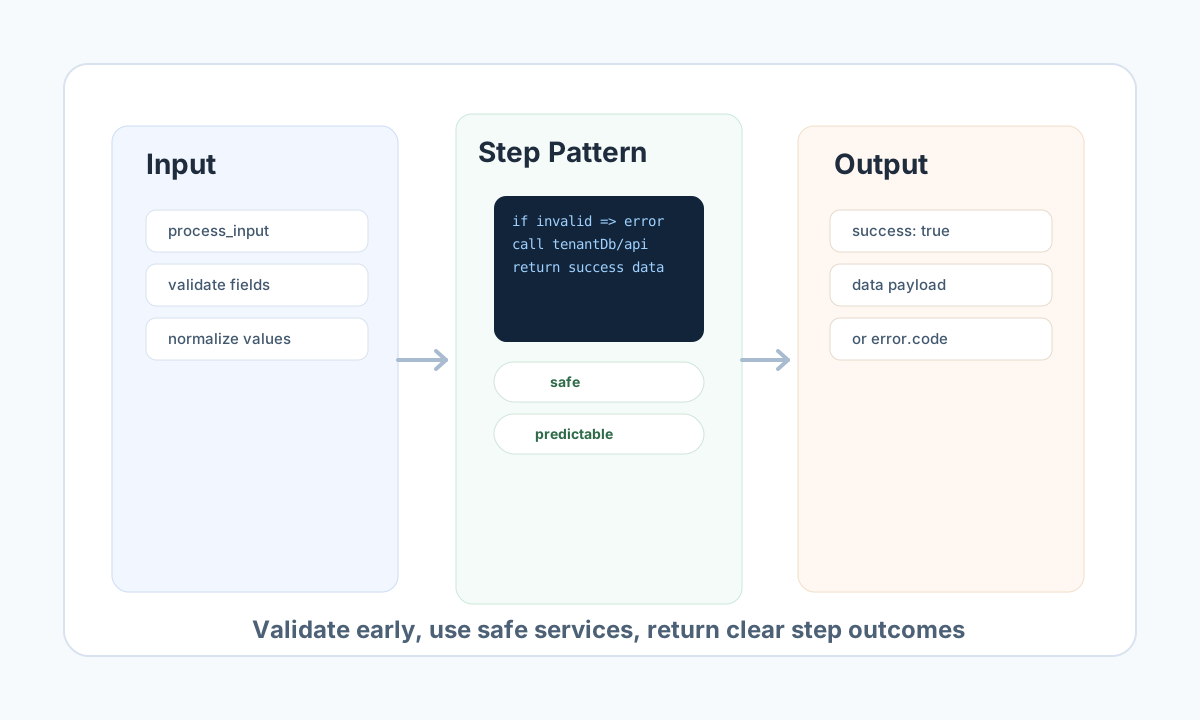
Keep the step contract consistent
Every step should return a structured success or failure payload. A stable return shape makes downstream steps easier to design and gives operators clear error information when execution fails.
Use specific error codes, short human-readable messages, and data: null for failure paths. For success paths, return only the fields the next step needs to avoid oversized payloads.
type StepResult =
  | { success: true; data: { normalized_email: string } }
  | { success: false; error: { code: string; message: string; details?: string }; data: null };

function validateEmail(input: { email?: string }): StepResult {
  if (!input.email) {
    return { success: false, error: { code: "VALIDATION_ERROR", message: "email is required" }, data: null };
  }

  const normalized = input.email.trim().toLowerCase();
  return { success: true, data: { normalized_email: normalized } };
}
Use common patterns for day-to-day steps
Most production snippets fit a small set of patterns: validate input, transform data, access tenant-scoped storage, and call integrations or APIs. Keeping code linear and explicit improves readability and reduces failure risk in complex flows.
For database operations, prefer tf.tenantDb (or tenantDb) and always keep tenant context in scope. For connectors, use tf.connector.execute or the async tf.integration queue API. For arbitrary internal HTTP, use tf.api and convert non-success responses into structured errors rather than unhandled runtime failures.
Test a step quickly through API
A fast way to validate your snippet is to run the process directly through the ProcessFlow API and inspect the execution result. This confirms your return structure, required input handling, and process wiring in a production-like path.
Authenticate with a Tealfabric API key using the X-API-Key header (this is what the API reads first). Use Authorization: Bearer only for a JWT access token from the normal sign-in flow, not for the API key string. (As a compatibility edge case, Authorization: Bearer tf_… is treated like an API key when the secret starts with tf_; prefer X-API-Key in new integrations. New keys use tf_live_ or tf_test_.)
curl -X POST "https://<YOUR_DOMAIN>/api/v1/processflow?action=execute-process" \
  -H "X-API-Key: <API_KEY>" \
  -H "X-Tenant-ID: <TENANT_ID>" \
  -H "Content-Type: application/json" \
  -d '{
    "process_id": "<ENTITY_ID>",
    "input_data": {
      "email": "quick.reference@example.com"
    },
    "async": false
  }'
{
  "success": true,
  "data": {
    "execution_id": "exec_1357abcf",
    "status": "completed"
  }
}
Use runtime variables and error codes predictably
The variables you will use most often are process_input, tenant_id, tenantDb, integration, api, files, and app_url. Variable names are case-sensitive, and optional services such as files should be checked before use in file-dependent steps.
For consistent operations and reporting, standardize on error families such as VALIDATION_ERROR, DATABASE_ERROR, CONNECTOR_ERROR, and RESOURCE_ERROR. A predictable code set helps teams troubleshoot failures quickly and keeps dashboards easier to interpret.
Apply quick safety checks before publishing
Before publishing a process, confirm that input validation happens early, tenant-safe services are used for data access, and native blocked file operations are not called directly. File work should use tenant-scoped helpers such as file_put_contents and related file helper functions.
Treat this reference as a practical baseline for everyday ProcessFlow work. For deeper coverage, continue with Process environment variables, Process sandbox tf API reference, and ProcessFlow API documentation.