XML File Connector Guide
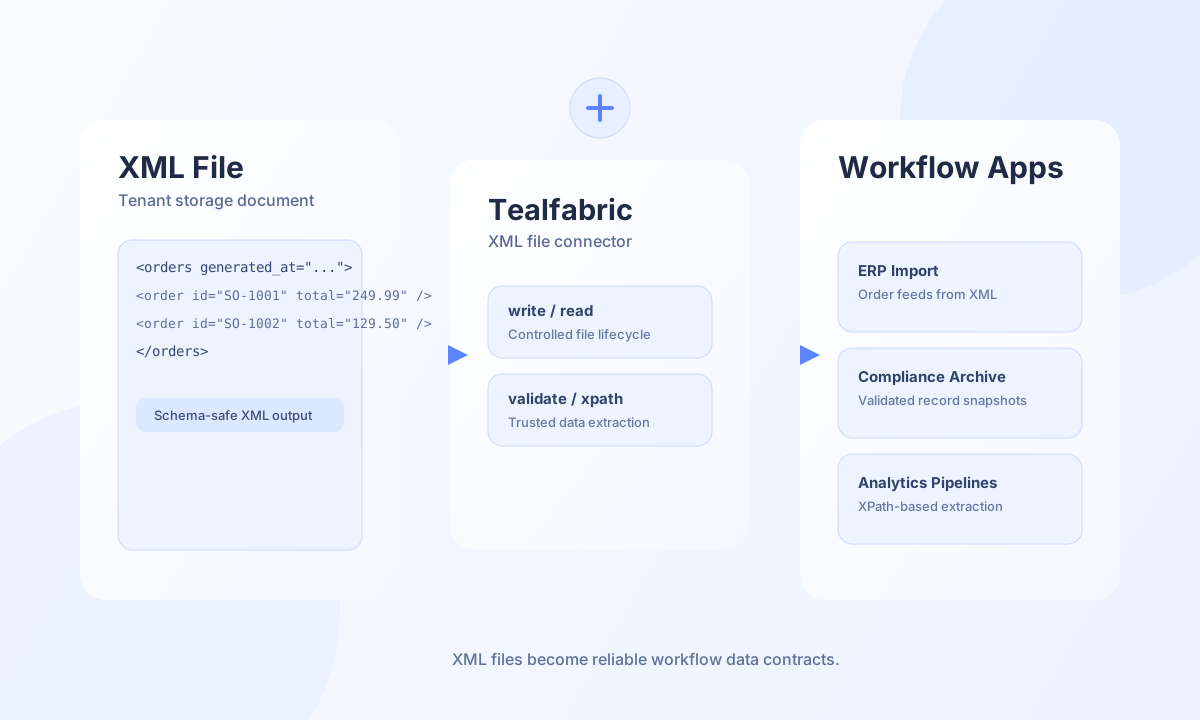
The XML File connector helps Tealfabric workflows read, write, and query structured XML documents stored in your tenant file space. It is useful for integrations where upstream or downstream systems require XML payloads, such as ERP exports, partner order feeds, and compliance archives.
Document information
| Field | Value |
|---|---|
| Canonical URL | /docs/04_connecting-systems/connectors/x/xml-file |
| Version (published date) | 2026-05-08 |
| Tags | connectors, reference, xml-file |
| Connector ID | xml-file-1.0.0 |
Configuration
Configure the connector with a target XML filename and, optionally, a relative folder path inside tenant storage. Keep file naming predictable so automation steps can safely locate and update the same document over time. UTF-8 remains the recommended encoding for interoperability across systems.
filename(required): XML file name, for exampleorders.xml.path(optional): Relative directory, for exampleexports/daily.encoding(optional): XML encoding, defaultUTF-8.
Write XML data with write
Use write when your workflow needs to create or overwrite a structured XML document from process data. This pattern is common for scheduled exports and partner exchange files where output shape must stay stable.
const baseUrl = "https://api.example.com/api/v1";
const tenantId = "<TENANT_ID>";
const apiKey = "<API_KEY>";

async function writeOrderFeed(integrationId: string) {
  const response = await fetch(`${baseUrl}/integrations/${encodeURIComponent(integrationId)}/execute`, {
    method: "POST",
    headers: {
      "X-API-Key": apiKey,
      "X-Tenant-ID": tenantId,
      "Content-Type": "application/json",
    },
    body: JSON.stringify({
      operation: "write",
      xml: `<?xml version="1.0" encoding="UTF-8"?>
<orders generated_at="2026-05-08T12:00:00Z">
  <order id="SO-1001" currency="USD" total="249.99" />
</orders>`,
      pretty: true,
    }),
  });
  if (!response.ok) throw new Error(`Request failed: ${response.status}`);
  return response.json();
}
curl -X POST "https://api.example.com/api/v1/integrations/<ENTITY_ID>/execute" \
-H "X-API-Key: <API_KEY>" \
-H "X-Tenant-ID: <TENANT_ID>" \
-H "Content-Type: application/json" \
-d '{
"operation": "write",
"xml": "<?xml version=\"1.0\" encoding=\"UTF-8\"?><orders generated_at=\"2026-05-08T12:00:00Z\"><order id=\"SO-1001\" currency=\"USD\" total=\"249.99\" /></orders>",
"pretty": true
}'
{
  "success": true,
  "message": "XML file written successfully",
  "path": "exports/daily/orders.xml"
}
Query XML data with xpath
Use xpath to extract only the nodes your workflow needs, instead of parsing complete files in every step. Targeted queries make large XML documents cheaper to process and easier to validate.
const baseUrl = "https://api.example.com/api/v1";
const tenantId = "<TENANT_ID>";
const apiKey = "<API_KEY>";

async function findOrderTotals(integrationId: string) {
  const response = await fetch(`${baseUrl}/integrations/${encodeURIComponent(integrationId)}/execute`, {
    method: "POST",
    headers: {
      "X-API-Key": apiKey,
      "X-Tenant-ID": tenantId,
      "Content-Type": "application/json",
    },
    body: JSON.stringify({
      operation: "xpath",
      expression: "/orders/order/@total",
    }),
  });
  if (!response.ok) throw new Error(`Request failed: ${response.status}`);
  const payload = await response.json();
  return payload.result ?? [];
}
curl -X POST "https://api.example.com/api/v1/integrations/<ENTITY_ID>/execute" \
-H "X-API-Key: <API_KEY>" \
-H "X-Tenant-ID: <TENANT_ID>" \
-H "Content-Type: application/json" \
-d '{
"operation": "xpath",
"expression": "/orders/order/@total"
}'
{
  "success": true,
  "result": [
    "249.99"
  ]
}
Reliability guidance
Run validate before downstream delivery when files come from external systems, because malformed XML and encoding mismatches are the most common production failures. Use consistent file paths, keep schemas versioned, and treat XPath expressions as contract logic that should be tested with sample files. These practices keep XML-based automations deterministic and easier to audit.