xAI (Grok) API Connector Guide
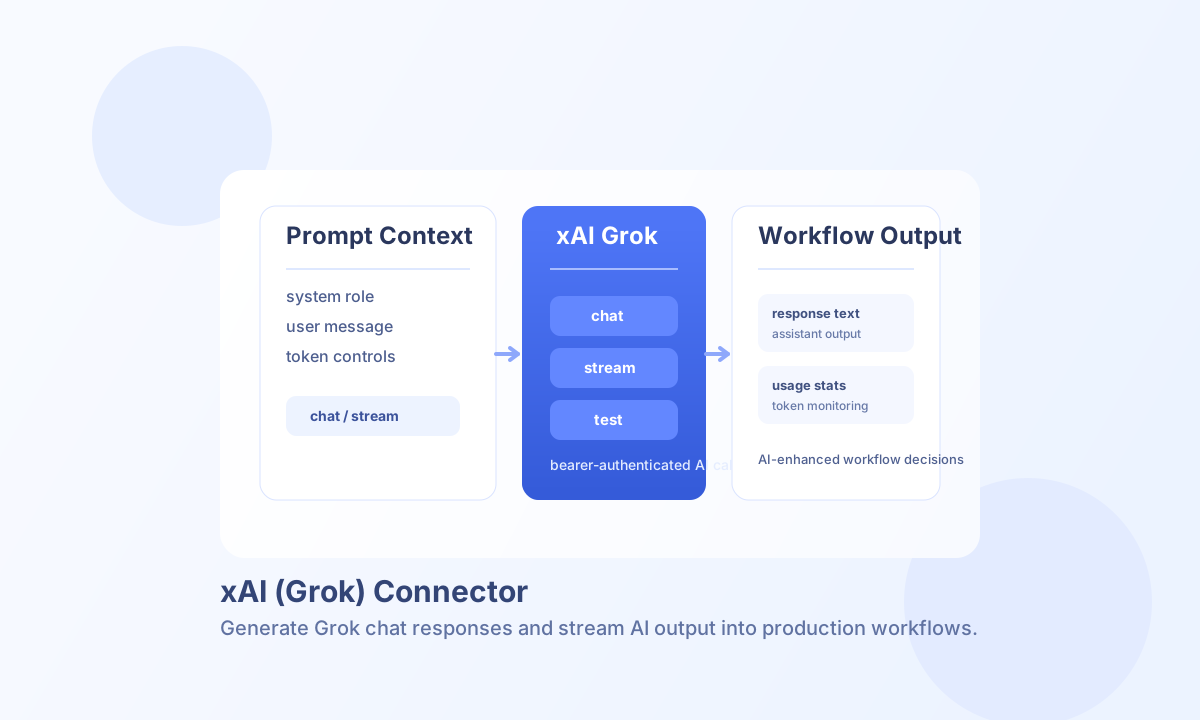
The xAI (Grok) connector lets Tealfabric workflows generate conversational AI responses with model-level controls. It is useful for support automation, content drafting, classification, and context-aware assistant workflows.
Document information
| Field | Value |
|---|---|
| Canonical URL | /docs/04_connecting-systems/connectors/x/xai-grok |
| Version (published date) | 2026-05-08 |
| Tags | connectors, reference, xai-grok |
| Connector ID | xai-grok-1.0.0 |
Configure API access
Set api_key to your xAI API key and choose a default model that fits your quality, speed, and cost goals. Increase timeout_seconds for longer prompts or high-token outputs where responses may take more time. You can also set system_prompt as an integration-level default instruction that gets prepended to requests unless overridden per call.
Because this connector is API-key based, keep credentials in secure integration settings and rotate keys according to your security policy. Run test after setup to confirm connectivity before enabling scheduled workflows.
Generate responses with chat
Use chat for non-streaming workflows where you want a complete response payload in one request. For legacy parity, chat requires a messages array (use stream if you want prompt-only shorthand behavior). You can tune output behavior with per-call temperature, max_tokens, top_p, and system_prompt.
const baseUrl = "https://api.example.com/api/v1";
const tenantId = "<TENANT_ID>";
const apiKey = "<API_KEY>";

async function draftStatusUpdate(integrationId: string) {
  const response = await fetch(`${baseUrl}/integrations/${encodeURIComponent(integrationId)}/execute`, {
    method: "POST",
    headers: {
      "X-API-Key": apiKey,
      "X-Tenant-ID": tenantId,
      "Content-Type": "application/json",
    },
    body: JSON.stringify({
      operation: "chat",
      messages: [
        { role: "system", content: "You write concise operational updates for internal teams." },
        { role: "user", content: "Create a 5-line status update for today's deployment progress." }
      },
      temperature: 0.4,
      max_tokens: 220
    }),
  });
  if (!response.ok) throw new Error(`Request failed: ${response.status}`);
  return response.json();
}
curl -X POST "https://api.example.com/api/v1/integrations/<ENTITY_ID>/execute" \
-H "X-API-Key: <API_KEY>" \
-H "X-Tenant-ID: <TENANT_ID>" \
-H "Content-Type: application/json" \
-d '{
"operation": "chat",
"messages": [
{"role": "system", "content": "You write concise operational updates for internal teams."},
{"role": "user", "content": "Create a 5-line status update for today's deployment progress."}
],
"temperature": 0.4,
"max_tokens": 220
}'
{
  "success": true,
  "data": {
    "message_count": 1,
    "response": {
      "id": "chatcmpl-...",
      "choices": [
        {
          "message": {
            "role": "assistant",
            "content": "Deployment status: build pipeline completed successfully..."
          }
        }
      ]
    },
    "tokens": {
      "prompt_tokens": 38,
      "completion_tokens": 74,
      "total_tokens": 112
    }
  }
}
Stream responses with stream
Use stream for interactive user experiences where partial output should be shown as it is generated. This improves perceived responsiveness for chat assistants and live drafting workflows. The normalized response includes data.execution_id from runtime correlation and a chunks array (chunk entries followed by done).
Operational guidance
Common failures include invalid API keys, unavailable model names, rate limits, and timeout errors for long responses. Validate model names per environment and enforce token limits to prevent oversized requests.
For production reliability, add retry logic with backoff for transient failures and monitor usage metrics for cost control. Keep prompts concise and focused for predictable quality and latency.