Process sandbox tf API reference
Document information
- Canonical URL:
/docs/02_automations-and-processflow/41_process-sandbox-tf-api - Version:
2026-11-26 - Tags:
processflow,sandbox,reference,tf
JavaScript and TypeScript process steps run in the new sandbox (sandbox_mode: new-sandbox). The platform injects a namespaced helper object, tf, alongside the legacy root globals (tenantDb, integration, api, …) used by older PHP-style snippets.
Use tf.* in new steps. Root globals remain available for migrated snippets and are mirrored on tf where noted below.
Two ways to call the same services
| Style | Example | When to use |
|---|---|---|
tf namespaced | tf.log("info", "started"), tf.connector.execute(...), tf.datapool.query(...) | Preferred for new TypeScript/JavaScript steps |
| Root globals | log_message("info", "started"), integration.executeSync(...), datapool.query(...) | Migrated PHP snippets; same objects are aliased on tf |
Both styles respect the same sandbox capabilities. If a capability is disabled, the matching method throws a clear error (for example Connector capability is not enabled).
Sandbox capabilities
Each step run carries a capability list. Methods that need a capability are blocked when that capability is not granted.
| Capability | Unlocks |
|---|---|
context | tf.context.get, tf.context.set, tf.context.snapshot |
logging | tf.log, log_message |
data-access | tf.dataAccess, tf.tenantDb, tenantDb, SQL helpers |
connector | tf.connector, tf.integration (execute, executeSync, executeAsync, …) |
api | tf.api, tf.datapool, tf.email, tf.notification, tf.operations, OCR, document review, tf.process.execute |
llm | tf.llm (callLLM, complete) |
file | tf.files, tenant file helpers (read, write, file_get_contents, …) |
keystore | tf.keystore (get, set, list — all async; use await) |
When sandbox_capabilities is omitted from a run, the platform applies a default set controlled by the worker setting SANDBOX_LEGACY_DEFAULTS (typically the full legacy helper surface: context, logging, file, data-access, connector, keystore, api, llm).
To restrict a step deliberately, pass an explicit sandbox_capabilities array when executing the process (see ProcessFlow API documentation).
HTTP-backed helpers (api, datapool, integration.executeSync, …) also require internal HTTP context on the execution payload: app_url, user_id, execution_auth_key, and execution_auth_source_id. Without that context you see internal HTTP is not configured. Normal process executions set these automatically; custom test harnesses must supply them.
Core tf methods
These methods exist only on tf (there is no root-global alias).
tf.capabilities
Array of enabled capability names for the current run. Use it to branch when a step is deployed with different profiles:
if (!tf.capabilities.includes("connector")) {
  return { success: false, error: { code: "NO_CONNECTOR", message: "connector capability is disabled" } };
}
tf.log(level, message?, context?)
Writes a structured line to the step execution log. Requires the logging capability.
tf.log("info", "Normalizing order", { customer_id: process_input.customer_id });
tf.log("Order received"); // level defaults to info
log_message(level, message, context?) is the legacy alias with the same behavior.
tf.context
Read and write values in the mutable execution context bag. Requires the context capability.
| Method | Description |
|---|---|
tf.context.get(path) | Read a dotted path (for example "order.id") |
tf.context.set(path, value) | Write a value; throws if the path is invalid |
tf.context.snapshot() | Returns a shallow copy of the full context object |
const prior = tf.context.get("enrichment.vendor");
tf.context.set("enrichment.vendor", "acme");
const all = tf.context.snapshot();
tf.utils
Small helpers that do not require extra capabilities. nowIso is fixed for the step. sha256, hmacSha256, hmacSha256Verify, and deterministicId return the same result for the same input. uuid() returns a new UUID v4 on every call.
| Method | Description |
|---|---|
tf.utils.nowIso() | UTC timestamp for this step, as an ISO-8601 string |
tf.utils.sha256(value) | SHA-256 hex digest of a string or JSON-serialized value |
tf.utils.hmacSha256(message, secret) | HMAC-SHA256 hex digest of a UTF-8 string |
tf.utils.hmacSha256Verify(message, signature, secret) | true when signature matches that digest. Comparison is timing-safe. Hex may be upper or lower case. A leading sha256= is ignored |
tf.utils.deterministicId(value) | Stable hash-based ID from arbitrary input |
tf.utils.uuid() | New UUID v4 string |
Store the secret with tf.keystore, not in the step snippet. For a webhook WebApp, pass raw_input (the raw body). A signature is over those bytes. JSON.stringify(process_input) is a different string and will not match.
const secret = await tf.keystore.get("partner_webhook_secret");
const provided = String(http_headers["X-Signature"] ?? "");
if (!tf.utils.hmacSha256Verify(raw_input, provided, secret)) {
  return {
    success: false,
    error: { code: "VALIDATION", message: "Webhook signature did not match" }
  };
}

const id = tf.utils.deterministicId({ tenant_id, customer_id: process_input.customer_id });
const rowId = tf.utils.uuid();
tf.utils.hmacSha256 is the same digest when your step must send a signature rather than check one:
const secret = await tf.keystore.get("partner_webhook_secret");
const signature = tf.utils.hmacSha256(raw_input, secret);
Save the secret once, from a step that is allowed to write the keystore, or from the ProcessFlow keystore screen:
await tf.keystore.set("partner_webhook_secret", "replace-with-the-shared-secret");
tf.sleep(ms)
Pauses the step for ms milliseconds, then continues. tf.wait(ms) is the same function. No capability is required. setTimeout and setInterval are not available in the step VM.
ms must be a non-negative number. Fractional values are truncated toward zero. The delay counts against the step execution timeout, and a delay longer than that timeout throws instead of waiting.
const delayMs = Number(process_input.delay_ms ?? 0);
await tf.sleep(delayMs);
return { success: true, data: { waited_ms: delayMs } };
tf.dataAccess (read-only)
A read-only subset of tenant database access. Requires data-access. For inserts and updates, use tf.tenantDb instead.
| Method | Description |
|---|---|
tf.dataAccess.getRecord(collection, id) | Fetch one record by ID |
tf.dataAccess.findRecords(collection, filter?) | Query records with an optional filter object |
const row = await tf.dataAccess.getRecord("Customers", process_input.customer_id);
const open = await tf.dataAccess.findRecords("Orders", { status: "open" });
tf.connector
Execute a configured integration connector synchronously. Requires connector. This is the recommended entry point for connector calls in new code.
const result = await tf.connector.execute(
  "slack-api-v1-0-0",
  "post_message",
  { channel: "#alerts", text: "Order processed" }
);

if (!result?.success) {
  return { success: false, error: { code: "CONNECTOR_ERROR", message: String(result?.error ?? "failed") } };
}

return { success: true, data: result.result ?? result.data };
Arguments: (integrationId, operation, payload?). The operation can also be supplied inside payload.operation when migrating older snippets.
See Integration connector usage for retries, batching, and response normalization patterns.
Services aliased on tf
These root globals are copied onto tf when available (for example tf.tenantDb === tenantDb).
| Root global | tf alias | Capability | Notes |
|---|---|---|---|
tenantDb | tf.tenantDb | data-access | query, getOne, insert, update, delete, getRecord, findRecords |
integration | tf.integration | connector | Full async queue API (below) |
connectors | tf.connectors | connector | Deprecated alias of integration |
api | tf.api | api | Authenticated internal HTTP (get, post) |
process | tf.process | api | execute(processId, input?, { async? }) — tenant-scoped process-to-process call |
operations | tf.operations | api | My Work helpers: createApprovalGate, getApprovalGate, openApproval, openAction, openException, updateProgress, complete, validate |
datapool | tf.datapool | api | DataPool CRUD, schemas, timeseries, virtual tables |
llm | tf.llm | llm | callLLM / complete; chat is not supported |
email | tf.email | api | send |
notification | tf.notification | api | send, dispatch, update, remove |
jwt | tf.jwt | — | decodePayload, verify, issueWebappAccess (WebApp login mints webapp_access; see WebApps Authentication) |
files | tf.files | file | Execution-scoped file service; null when disabled |
keystore | tf.keystore | keystore | Process-scoped secrets (get / set / list are async); null when disabled |
pdfOcr / imageOcr | tf.pdfOcr / tf.imageOcr | api | extractText |
image | tf.image | api | thumbnail — crop or fit a tenant image and write a JPEG |
documentReview | tf.documentReview | api | createReviewFromProcessFlow |
documents | tf.documents | api | upload — binary file into tenant storage, including a linked sibling workspace |
db | tf.db | data-access | /root tenant only — raw MySQL handle |
tf.keystore
Process-scoped secrets (requires keystore). Root alias: keystore. The object is null when the capability is off.
| Method | Description |
|---|---|
await tf.keystore.get(keyName) | Return the secret string. Throws Error("Key not found") when the key is missing. |
await tf.keystore.set(keyName, value) | Create or replace a secret for this process. |
await tf.keystore.list() | List key names for this process (values are not returned). |
Always use await. Without it, the call returns a Promise and the step never receives the secret string. Key names are case-sensitive and must match the process that owns the secret. Worked patterns: ProcessFlow keystore.
if (!tf.keystore) {
  return { success: false, error: { code: "KEYSTORE_UNAVAILABLE", message: "keystore capability is not enabled" } };
}
const apiToken = await tf.keystore.get("api_token");
tf.documents.upload
Write binary bytes into tenant storage (requires api). Sandbox HTTP sends JSON, so this helper posts content_base64 to POST /api/v1/documents?action=upload. Multipart upload remains available to clients outside the sandbox.
filename is a single file name. destination_path is the parent directory. Pass content as a Buffer or Uint8Array, or pass content_base64. Decoded size is capped at 12 MiB. Optional tenant_id stores the file in a linked sibling workspace when the step runs in the owner workspace. Omit tenant_id to write into the workspace that is running the step.
file_put_contents and tf.files.write write UTF-8 text. Use tf.documents.upload for images and other binary files.
const png = Buffer.from(process_input.content_base64, "base64");
const uploaded = await tf.documents.upload({
  destination_path: "CDN/app",
  filename: "logo.png",
  content: png,
  tenant_id: siblingTenantId
});
// uploaded.path is "CDN/app/logo.png"
// uploaded.bytes is the decoded size
tf.email.send
Queue one outbound message for the running process (requires api). Pass a single object — not positional args. At least one of text or html is required. to accepts one address or several. Optional cc and bcc use the same address forms. A string to with one address remains valid for steps already in use. Worked patterns: Email sending.
const queued = await tf.email.send({
  to: "ops@example.com",
  subject: "Alert",
  text: "Body"
});
// to, cc, and bcc: string or string[] (comma- or semicolon-separated strings also work)
// At most 50 addresses across to, cc, and bcc
// Optional keys: cc, bcc, html, process_id, metadata
// Result fields: queue_id, status, enqueued
Do not use legacy email.sendEmail(to, subject, html) in ProcessFlow steps.
tf.image.thumbnail
Write a JPEG into tenant storage from another tenant image. Requires the api capability. Paths are tenant-relative. fit: "cover" center-crops to width × height. Transparency is flattened onto black before encoding. Full options, limits, and a worked example: ProcessFlow: Image thumbnails.
const thumb = await tf.image.thumbnail({
  source_path: "uploads/shot.png",
  dest_path: "CDN/video-reel/clip-thumb.jpg",
  width: 320,
  height: 180,
  fit: "cover",
  quality: 85
});
thumb is { path, width, height, bytes }. A missing file, a non-image, or a path outside tenant storage throws.
tf.process.execute
Call another ProcessFlow in the same tenant. Requires the api capability and internal HTTP context. This is the preferred replacement for api.post("/api/v1/processflow?action=execute-process", …) in step snippets.
const syncResult = await tf.process.execute("handler-process-id", process_input ?? {});
const queued = await tf.process.execute("notify-process-id", { order_id: process_input.order_id }, { async: true });
PHP steps use the injected $process helper:
return $process->execute($targetProcessId, $process_input, ['async' => false]);
See Process-to-process communication.
tf.operations (My Work / operational requests)
Publish governed work into Operations My Work. Requires the api capability and internal HTTP context. Prefer these helpers over raw tf.api.put("/api/v1/operations/requests", …). Full contract: Operational requests and My Work.
| Method | Effect |
|---|---|
createApprovalGate(payload) | Inserts a pending process human gate and returns its real human_request_id. Does not wait. Optional continuation: {} starts this process again when the gate is answered or times out. |
getApprovalGate(humanRequestId) | Reads one gate, including status and decision. |
openApproval(payload) | Sets attention: approval; requires that human_request_id to still be pending (strict). Pass details for the card. |
openAction(payload) | Sets attention: action_required; requires required_action |
openException(payload) | Sets attention: blocked (exception work kind) |
updateProgress(payload) | Upserts journey / checks / system_refs without forcing a kind |
complete(payload) | Sets status: done, journey_beat: done |
validate(payload) | Dry-run; returns approve_buttons_would_show, warnings, missing fields |
const gate = await tf.operations.createApprovalGate({
  idempotency_key: "credit-approval-crm-10482",
  approver_user_id: approverUserId,
  prompt: "Approve customer credit?",
  timeout_seconds: 604800,
  continuation: {},
  payload: { account: "crm-10482", limit: "25000" }
});

if (gate.status !== "pending") {
  return { success: true, data: { status: gate.status, decision: gate.decision, human_request_id: gate.human_request_id } };
}

await tf.operations.openApproval({
  external_id: "crm-10482",
  subject: "Approve customer credit",
  process_name: "Credit review",
  human_request_id: gate.human_request_id,
  owner_user_id: approverUserId,
  details: [
    { label: "Account", value: "crm-10482" },
    { label: "Requested limit", value: "25000" }
  ],
  why_visible: "You own credit for this account.",
  consequence: "Approving starts the next run, which writes the credit decision."
});

return {
  success: true,
  data: { status: "pending_approval", human_request_id: gate.human_request_id, external_id: "crm-10482" },
  message: "Submitted for approval."
};
createApprovalGate requires idempotency_key, approver_user_id, and prompt. approver_user_id is an active internal tenant user with Operations access, and it must not be the WebApp execution user. Optional timeout_seconds is an integer from 60 to 2592000. The same idempotency_key returns the existing gate (created: false). openApproval rejects the card unless human_request_id is still pending. Set owner_user_id to that same approver so the card shows in their My Work.
The step returns after the card is written. My Work Approve and Reject call POST /api/v1/operations/human-gates/{human_request_id}/respond with { "approved": true } or { "approved": false }. Only the assigned approver may respond. A timed-out gate answers the next read with status: "timeout". Approve records the decision and does not itself write an external system. When the gate was created with continuation: {} or { process_id }, that settlement starts one new execution. The input is process_input.operations_continuation (kind: "human_gate_settled"). Omit continuation to store the decision only. Pass details on openApproval so the card shows the request.
If openApproval fails after the gate exists, retry the step with the same idempotency_key and the same external_id. Full field tables: Trace: craft Operations-aligned work.
tf.integration (queue-backed connectors)
tf.connector.execute is the simple synchronous path. tf.integration exposes the full integration worker API:
| Method | Description |
|---|---|
execute / executeSync | Run connector synchronously (same backend as tf.connector.execute) |
executeAsync | Enqueue to the integration worker; returns execution_id |
getStatus(executionId) | Poll queue status |
getResult(executionId) | Fetch completed output |
cancel(executionId) | Cancel a queued run |
getPendingCount() | Tenant integration queue depth |
const executionId = await tf.integration.executeAsync("restapi-generic-v1-0-0", {
  operation: "send",
  method: "POST",
  endpoint: "/hooks/acme",
  body: process_input,
});

const status = await tf.integration.getStatus(executionId);
if (status.status === "completed") {
  const output = await tf.integration.getResult(executionId);
  return { success: true, data: output?.result ?? null };
}
tf.tenantDb (read/write SQL)
const row = await tf.tenantDb.getOne(
  "SELECT id, email FROM Users WHERE id = ?",
  [process_input.user_id]
);

await tf.tenantDb.insert("AuditLog", {
  action: "order_created",
  entity_id: process_input.order_id,
  created_at: tf.utils.nowIso(),
});
Use parameterized queries. Avoid string concatenation for user-controlled values. See ProcessFlow database guide.
tf.datapool
const schemas = await tf.datapool.listSchemas();
const hits = await tf.datapool.query("orders", "status:open", []);
await tf.datapool.insert("orders", { order_id: "O-100", status: "open" });
const builder = tf.datapool.table("orders").sort("created_at", "desc").limit(10);
const page = await builder.get();
insert takes (schemaName, row) where row is one object. Do not pass [row]. An array is discarded and the stored document is empty, so the DataPool browser shows blank columns. Insert many rows with tf.datapool.bulkInsert(schemaName, rows). The single-object form tf.datapool.insert({ schema_name, data }) uses the same rule: data must be one object, not an array.
Ordered and windowed reads use the same query on every path:
const history = await tf.datapool.query(
  "SELECT * FROM readings WHERE timestamp >= :start AND timestamp < :end ORDER BY timestamp DESC LIMIT 50",
  { start: "2026-11-01T00:00:00.000Z", end: "2026-11-06T00:00:00.000Z" }
);
The range and ORDER BY run before LIMIT. Sort fields are schema columns, created_at, updated_at, or data_id. Numbers compare numerically and timestamps compare as dates. An unknown sort field is an error. tf.datapool.table(schema).sort("timestamp", "desc").limit(50) orders by that column without a range filter.
Sandbox helpers talk to the platform DataPool HTTP APIs internally (list/CRUD via /api/v1/datapool/data and schemas). External HTTP clients that want SQL-style queries should call POST /api/v1/datapool/query directly — see DataPool user guide.
WebApp-triggered processes: The run executes as the WebApp’s webapp_user_id service account. That role may read and write DataPool rows (data.read / data.write) but cannot permanently delete rows (data.delete is not granted). Do not call hard-delete APIs from WebApp-backed steps. Soft-delete instead (update a flag such as deleted / is_deleted / status: "deleted"), and use a separate scheduled or event-triggered ProcessFlow (running as a user with data.delete, such as tenant_admin or an automation account) for permanent row removal. See WebApps Authentication and DataPool user guide.
See DataPool user guide.
tf.llm
const out = await tf.llm.callLLM("Summarize this ticket in three bullet points.", {
  model: "gpt-4o-mini",
  temperature: 0.2,
});
return { success: true, data: { summary: out.data?.text ?? out.text } };
llm.chat is blocked at save time and runtime. Use callLLM or complete.
/root only: process_db and tf.db
Platform maintenance steps running under tenant /root receive process_db — a PDO-shaped MySQL handle for global tables and ProcessStepLogs. tf.db and tenantDb.getRawConnection() expose the same handle in that context only. Tenant-scoped steps should use tf.tenantDb, not raw handles.
Complete step example
This pattern combines input validation, logging, connector execution, and a structured return:
type StepInput = { integration_id?: string; payload?: Record<string, unknown> };

async function run(input: StepInput): Promise<Record<string, unknown>> {
  const integrationId = String(input.integration_id ?? "").trim();
  if (!integrationId) {
    return { success: false, error: { code: "VALIDATION_ERROR", message: "integration_id is required" } };
  }

  tf.log("info", "Calling connector", { integration_id: integrationId, tenant_id });

  try {
    const result = await tf.connector.execute(
      integrationId,
      String(input.payload?.operation ?? "default"),
      input.payload ?? {}
    );

    return {
      success: true,
      data: {
        integration_id: integrationId,
        output: (result as { result?: unknown })?.result ?? result,
      },
    };
  } catch (err) {
    tf.log("error", "Connector call failed", { message: String(err) });
    return { success: false, error: { code: "CONNECTOR_ERROR", message: String(err) } };
  }
}

return run(process_input as StepInput);
Authoring guidelines
- Prefer
tf.*over bare globals so capability boundaries are obvious in new code. - Check capabilities when a step may run with restricted profiles (
tf.capabilities.includes(...)). - Return structured objects —
{ success, data }or{ success: false, error: { code, message } }— not thrown exceptions for business failures. - Use
tf.connector.executefor simple connector calls; usetf.integration.executeAsyncwhen the parent process should not wait for the external system. - Never log
execution_auth_keyor keystore values. - Do not use
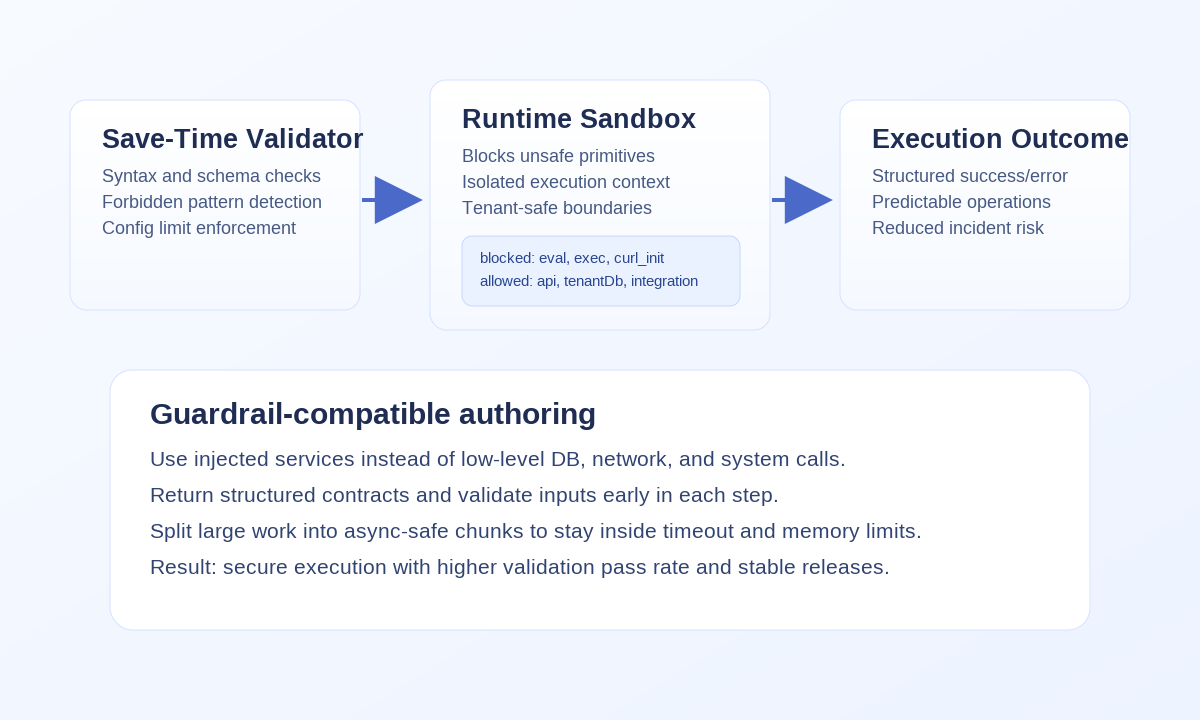
eval, dynamicimport, raw database drivers, or directfetch— these are blocked at save time. See Sandbox guardrails. - PHP steps (
language: php) still run through the legacy CLI executor; thetfobject applies to JavaScript and TypeScript steps only.
Troubleshooting
| Symptom | Likely cause | What to do |
|---|---|---|
… capability is not enabled | Step profile omits the required capability | Add capability to sandbox_capabilities or use a less restricted profile |
internal HTTP is not configured | Missing app_url / auth context in a custom test | Run through normal process execution or set execution auth fields |
llm.chat rejected at save | Unsupported API | Use tf.llm.callLLM |
tf.keystore is null | keystore capability off | Enable capability; store secrets in keystore, not source code |
Key not found from keystore.get | Missing key, wrong name/case, wrong process, or missing await | Use await keystore.get("exact_name"); confirm the secret exists on this process |
| Connector timeout | Long external call | Use tf.integration.executeAsync and poll getStatus |
See also
- Process environment variables — injected
process_input,tenant_id,app_url, and service globals - Sandbox guardrails — blocked patterns and limits
- Process step code guide — step contract and production patterns
- Integration connector usage — connector execution recipes
- Webhook calls — signing with
tf.utils