AI, agents, and MCP
This section explains how Tealfabric AI capabilities, agent interfaces, and MCP resources work together in production workflows. It is designed for users who need to configure, operate, and govern AI-enabled automation safely and effectively.
Document information
| Field | Value |
|---|---|
| Canonical URL | /docs/07_ai-agents-and-mcp/00_introduction |
| Version (published date) | 2026-09-08 |
| Tags | ai, mcp, agents |
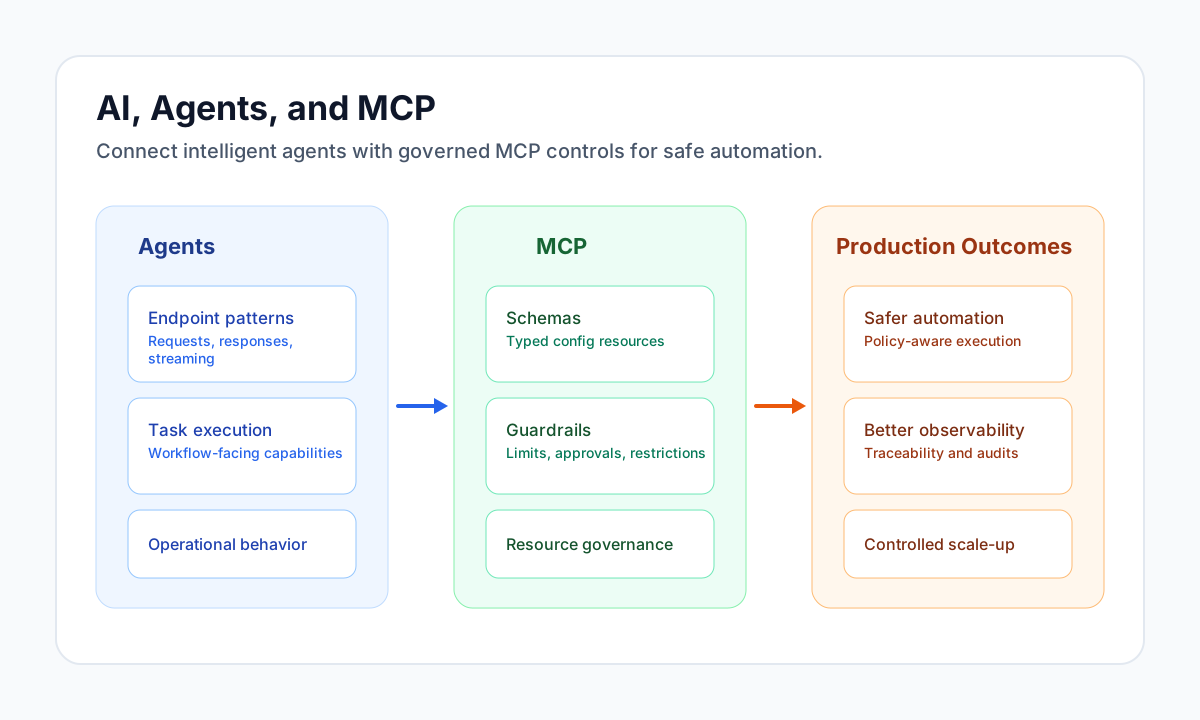
What this section covers
Use this section to understand how agent endpoints are structured, how MCP resources are configured, and how both connect to orchestration workflows. The focus is operational clarity: what to configure, what to monitor, and how to enforce safe behavior.
You will find guidance for request and response patterns, MCP schema and guardrails references (including prompt trust and same-turn tool deny), and governance-oriented practices for production usage. This helps teams move from experimentation to reliable AI operations.
How this differs from step-code recipes
This section does not replace step-level coding recipes for LLM calls inside process steps. Instead, it documents system-level capabilities and controls, while step-code docs focus on implementation snippets and code patterns.
Use both documentation areas together when building end-to-end workflows: this section for platform behavior and control surfaces, and step-code docs for execution-level integration logic.
Agents in this section
| Agent | Doc | Typical use |
|---|---|---|
| Trace AI | Trace AI Agent | MCP chat with tenant skills loaded on demand (load_tenant_skill) |
| Trace AI subagents | Trace AI subagents | Isolated asynchronous specialist runs of delegatable Autonomic Agents |
| Platform specialists | Platform specialists | Repo-wired platform-bulk-reader and platform-code-specialist in the Trace catalog |
| Platform code generation | Platform code generation | ProcessFlow step and WebApp contracts plus read-only validation |
| Autonomic Agents | Autonomic Agents | Unattended, event-woken workers (not in the chat picker) |
| Managed browser | Managed browser | Allowlisted web UI reads through browser_* tools |
| Autonomic Agent token budgets | Autonomic Agent token budgets | Weekly/monthly total_tokens caps for unattended Autonomic Agent runs |
| Platform Engineer Agent | Platform Engineer Agent | MCP chat with live platform context (no on-demand skills) |
| Tenant skills (authoring) | Tenant skills user guide | Package instructions under SKILLS/ for Trace AI |
| Process flows as agent tools | Process flows as custom AI agent tools | Opt-in ProcessFlows that Trace AI calls as tenant-specific functions (execute_process) |
| Model skills library | Model skills | Installable playbooks (B2B value chain and AI adoption); Trace model-skill-import |
| AI adoption advisor | AI adoption advisor | Trace-assisted discovery and roadmap; JWT engagement app; optional Tealfabric bridge |
| Model Autonomic Agents | Model agents | Installable unattended agent templates; Trace model-agent-import |
| In-loop wait | Agent wait tool | agent_wait — bounded pause inside the tool loop with live progress |
| Platform actions | Platform actions | Read/write MCP tools for tenant console parity |
| Skills → tools map | Platform skills quick reference | Which load_platform_skill unlocks which tools |
| Chat shortcuts | Chat shortcuts and quick links | @ cite Documents files, / load a skill_id, # cite workspace objects |
| TypeSafe Jev | TypeSafe Jev via integration | Structured decisions through restapi-generic-1.1.0 (ProcessFlow, Trace, Autonomic) |
| Payload contracts | Agent payload contracts | Describe-before-write pipeline for agents |
The in-app agent picker loads entries from GET /api/v1/chat/agents (policy-driven). Trace AI requires CHAT_TENANT_SKILLS_ENABLED=1 on the API deployment for skill loading.
Recommended reading path
Start with this introduction and MCP guardrails configuration schema (including prompt trust and tool-sequence controls) to understand boundaries. If you author tenant playbooks, read the tenant skills user guide, then Trace AI Agent for API and chat usage. If you want agents to run a tenant workflow as a custom function, read Process flows as custom AI agent tools. For unattended event-woken workers, see Autonomic Agents and Autonomic Agent token budgets. For asynchronous specialist work from Trace AI, see Trace AI subagents, Platform specialists, and Platform code generation. For automation without skills, use the Platform Engineer Agent doc. When agents must pause between tool steps, see Agent wait tool.
After configuration is stable, use cross-linked step-code recipes to implement concrete prompt and API logic in workflow steps.
See also
- Tenant skills user guide
- Process flows as custom AI agent tools
- AI adoption advisor
- Model skills library
- Model Autonomic Agents library
- Trace AI Agent
- Autonomic Agents
- Managed browser
- Autonomic Agent token budgets
- Trace AI subagents
- Platform specialists
- Platform code generation
- Platform skills quick reference
- Chat shortcuts and quick links
- TypeSafe Jev via integration
- Writing step code introduction
- LLM integration recipe
- Security, privacy, and compliance introduction