Data and Documents
Document information
- Canonical URL:
/docs/06_data-and-documents/00_introduction - Version:
2026-05-08 - Tags:
datapool,documents,cdn
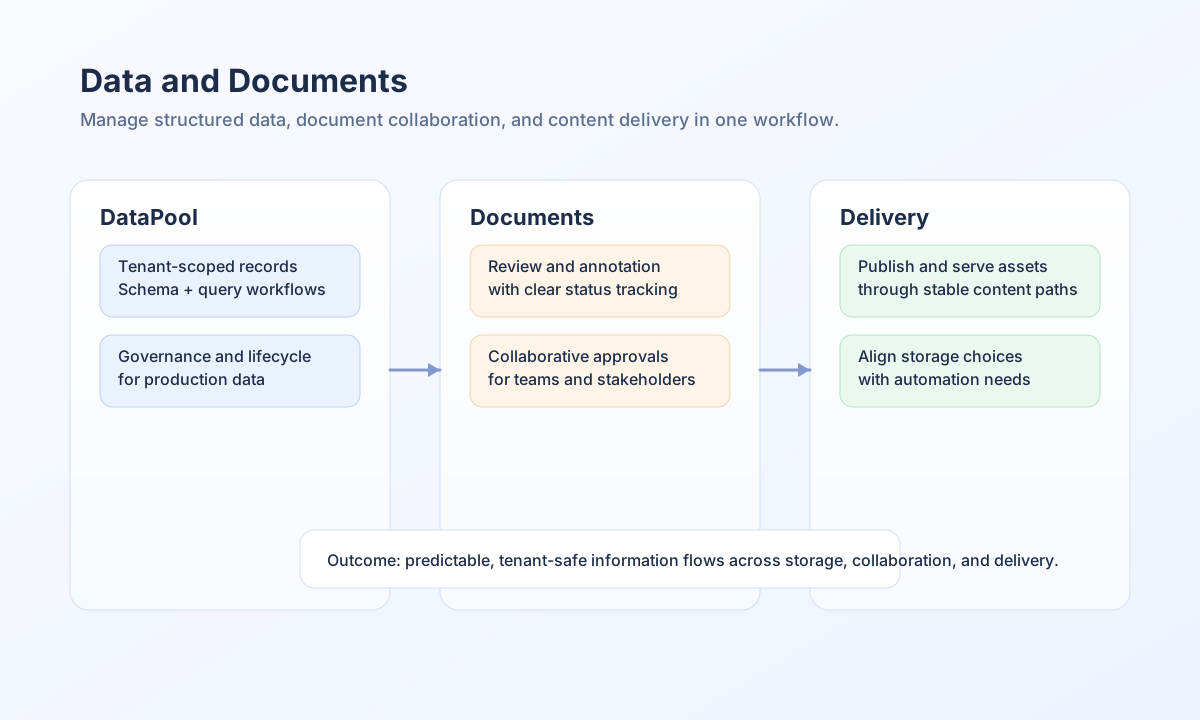
This section helps you manage business data and files in Tealfabric, from structured records in DataPool to collaborative document workflows and content delivery patterns. It is designed for product teams, operations users, and automation builders who need dependable data handling in daily work. Use this section as your starting point when you need to store, review, organize, and deliver tenant-scoped information safely.
What you can do in this section
You can learn how to design and operate DataPool structures for real workflows, including schema planning, record lifecycle management, and practical querying patterns. You can also learn how document review and annotation flows support collaboration across teams, especially when approvals and feedback must be traceable. For delivery scenarios, this section points to content-serving guidance so published assets stay organized and predictable.
The goal is to help you choose approaches that are reliable in production without adding unnecessary operational complexity. Each guide focuses on decisions and actions that end users can apply directly in their tenant workspace.
Recommended reading path
If you are new to this area, start with the DataPool user guide to understand core storage and querying concepts before moving into storage strategy decisions. If your team uses the Operations workspace, read Operational requests and My Work in the Workflows pillar next so you know how processes hydrate the queue. Then continue with document review and annotation guidance if your team manages collaborative approvals or feedback cycles. This sequence gives you a practical foundation first, followed by comparison and workflow-specific guidance.
Key guides in this section
Operational My Work documentation now lives under Workflows (legacy URL 20_operational-requests redirects there).
See also
Data and document operations are most effective when storage, collaboration, and delivery choices are made together rather than in isolation. With that approach, your team can keep information accurate, auditable, and ready for automation.