API Key Management
Document information
- Canonical URL:
/docs/08_api-for-developers/12_api-key-management__source-master - Version:
2026-08-17 - Tags:
api,reference,api-key-management
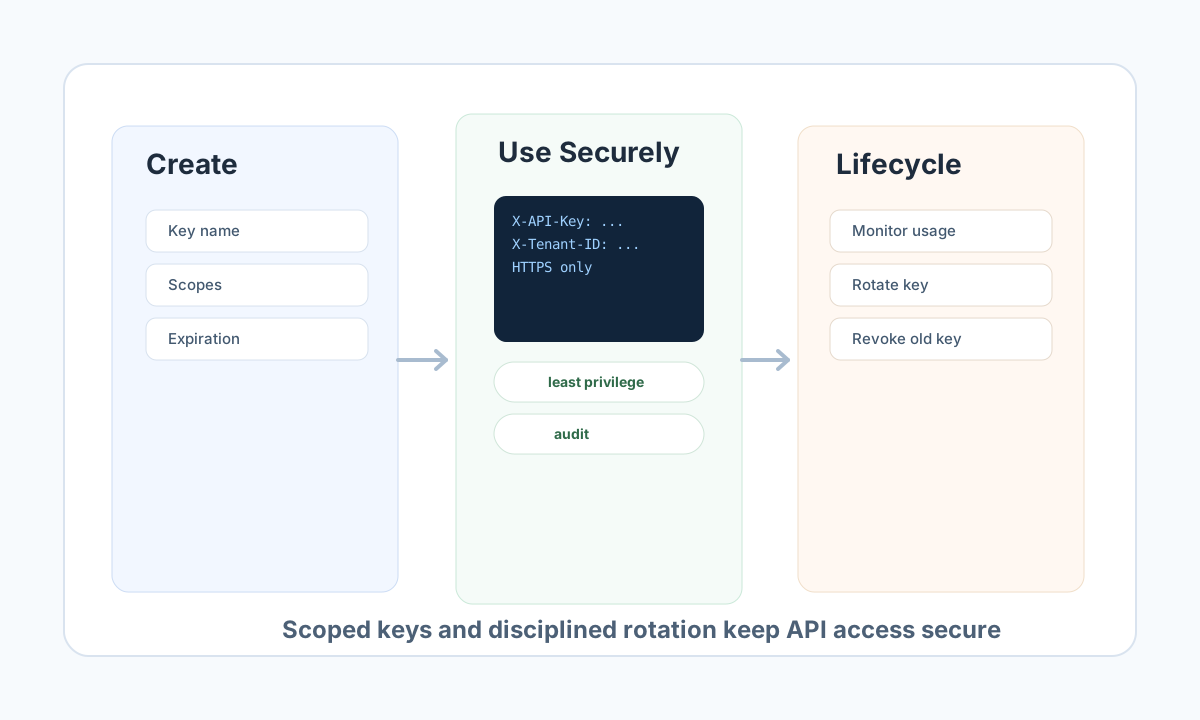
API keys provide secure, sessionless authentication for server-to-server integrations, ProcessFlow calls, and external automation scripts. This guide shows how to create keys, apply least-privilege scopes, use keys safely in requests, and operate a reliable rotation and revocation lifecycle.
Plan keys before creating them
A production-ready key strategy starts with one key per integration purpose and the minimum scopes needed for that workflow. This makes troubleshooting easier, limits blast radius if a key is exposed, and supports safer rotation without affecting unrelated systems.
Use optional expiration dates for temporary integrations and keep long-lived keys under monitoring. When creating a key in UI or API, copy the full secret value immediately because full key material is only shown once.
New keys use an 8-character prefix from the tenant type: tf_live_ for production (and any non-sandbox tenant) and tf_test_ for tenant_type = sandbox. Older keys that start with tf_prod_ or tf_dev_ still authenticate until you rotate them.
Create and use keys with scoped access
Keys support scope patterns such as entities.read, processflow.execute, and resource wildcards like entities.*. Choose specific scopes whenever possible and avoid global * access unless absolutely necessary for controlled administrative automation.
For request authentication, send the key in the X-API-Key header (preferred). Use Authorization: Bearer only with a JWT access token from sign-in, not with the API key string. Include tenant context headers where required by the endpoint.
const baseUrl = "https://<YOUR_DOMAIN>/api/v1";
const tenantId = "<TENANT_ID>";
const apiKey = "<API_KEY>";

async function fetchEntities() {
  const response = await fetch(`${baseUrl}/entities`, {
    method: "GET",
    headers: {
      "X-API-Key": apiKey,
      "X-Tenant-ID": tenantId,
      "Content-Type": "application/json",
    },
  });

  if (!response.ok) {
    throw new Error(`Request failed with status ${response.status}`);
  }
  return response.json();
}
Run a complete API key request flow
Use this request format to verify key validity, scope configuration, and tenant access from CI pipelines or backend services. The same approach works for routine health checks and post-rotation validation.
curl -X GET "https://<YOUR_DOMAIN>/api/v1/entities?id=<ENTITY_ID>" \
  -H "X-API-Key: <API_KEY>" \
  -H "X-Tenant-ID: <TENANT_ID>" \
  -H "Content-Type: application/json"
{
  "success": true,
  "data": {
    "entity_id": "<ENTITY_ID>",
    "name": "Example Entity",
    "status": "active"
  }
}
Rotate, revoke, and monitor keys safely
A safe lifecycle includes regular rotation, immediate revocation of unused or compromised keys, and usage monitoring by last-used timestamp, source IP, and request volume. Keep old and new keys overlapped briefly during rotation windows to avoid integration downtime.
If requests fail with invalid key, insufficient scope, or rate-limit responses, verify key status and scope mapping first, then confirm environment and endpoint alignment. For hardened deployment practices, continue with API key security best practices.
Troubleshoot common failures quickly
Most key issues fall into three groups: invalid/expired credentials, insufficient scopes, or rate limits. Resolve invalid/expired cases by rotating keys, scope failures by expanding only the required resource actions, and rate-limit issues by tuning request patterns or key limits.
Treat API key operations as part of routine platform hygiene, not one-time setup. With scoped design and consistent rotation, keys remain a safe and reliable authentication path for automation-heavy systems.