API Endpoint Catalog
Document information
- Canonical URL:
/docs/08_api-for-developers/05_api-endpoint-catalog - Version:
2026-10-04 - Tags:
api,reference,developers
This catalog gives a practical overview of common API endpoint groups and how they fit into integration workflows. Use it for planning, then confirm exact contracts on the API endpoints pages (parameters, schemas, examples, and curl samples).
Start with authentication and base conventions
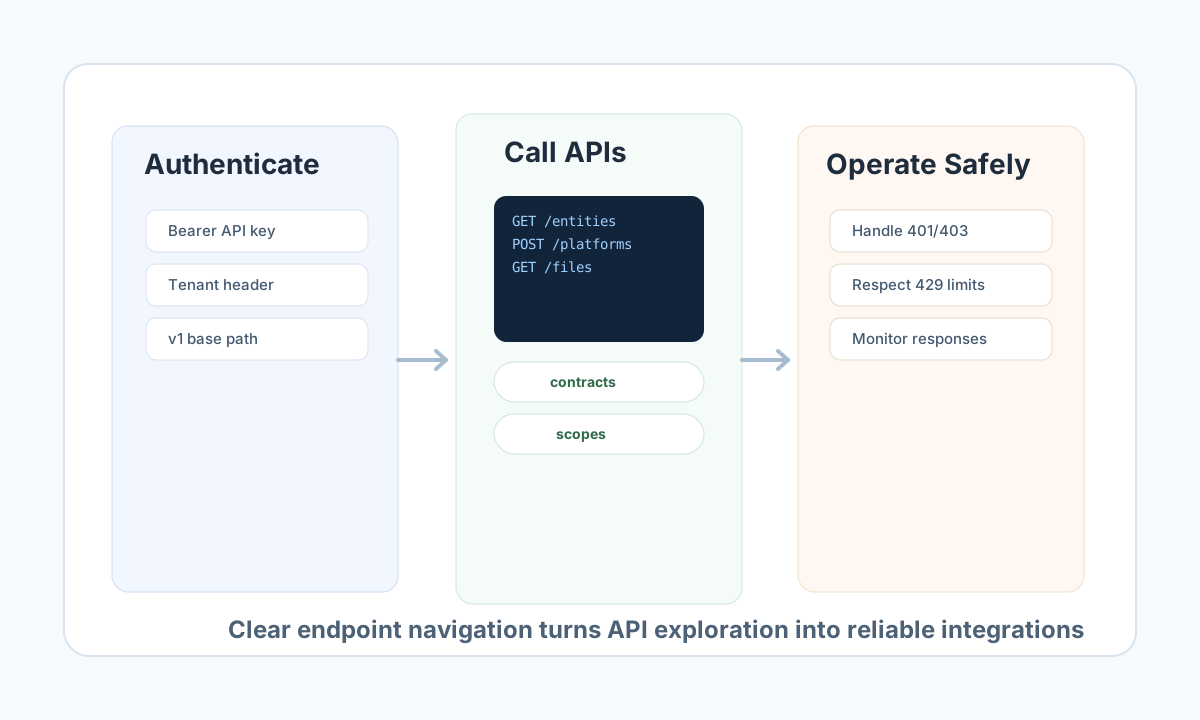
Public APIs use the /api/v1/ prefix, and most endpoints require authentication. For backend integrations and automation, API key authentication is recommended because it supports scoped permissions and sessionless access.
A typical request includes X-API-Key: <API_KEY>, X-Tenant-ID: <TENANT_ID>, and Content-Type: application/json. Standard responses usually include a success flag and either data on success or error metadata on failure.
Understand endpoint groups by use case
Entity endpoints are usually the first integration touchpoint for listing, creating, and updating tenant records. Platform and file endpoints support broader workspace orchestration, while strategy and chat endpoints are useful for AI-assisted or conversational features.
In operational practice, the most common flow is: authenticate, fetch or create resource data, update related metadata, and then monitor result status. Grouping endpoints this way helps teams design cleaner service boundaries and fewer unnecessary calls.
Browse the full contract reference by tag under API endpoints.
Use a consistent resource access pattern
The examples below show the same intent across TypeScript and JavaScript: fetch an entity by ID with API key and tenant headers, then fail fast if the response contract is missing expected payload data.
const baseUrl = "https://<YOUR_DOMAIN>/api/v1";
const tenantId = "<TENANT_ID>";
const apiKey = "<API_KEY>";

type Entity = { entity_id: string; name: string; status: string };

async function fetchEntity(entityId: string): Promise<Entity> {
  const response = await fetch(`${baseUrl}/entities?id=${encodeURIComponent(entityId)}`, {
    method: "GET",
    headers: {
      "X-API-Key": apiKey,
      "X-Tenant-ID": tenantId,
      "Content-Type": "application/json",
    },
  });
  if (!response.ok) throw new Error(`Request failed: ${response.status}`);
  const payload = (await response.json()) as { data?: Entity };
  if (!payload.data) throw new Error("Missing entity payload");
  return payload.data;
}
Validate endpoint connectivity with curl
Use this request as a baseline connectivity and permission check for CI pipelines, staging smoke tests, and integration diagnostics.
curl -X GET "https://api.example.com/api/v1/entities?id=<ENTITY_ID>" \
  -H "X-API-Key: <API_KEY>" \
  -H "X-Tenant-ID: <TENANT_ID>" \
  -H "Content-Type: application/json"
{
  "success": true,
  "data": {
    "entity_id": "<ENTITY_ID>",
    "name": "Example Entity",
    "status": "active"
  }
}
Handle errors and limits predictably
A reliable client should explicitly handle 401 and 403 authentication or scope failures, 404 resource misses, validation errors, and 429 rate limits. Using structured retry logic with backoff for transient failures improves stability without flooding the API.
Rate-limit headers should be treated as part of the contract in high-throughput integrations. Monitor remaining capacity and throttle proactively to avoid avoidable request failures.
Use this catalog as the integration narrative, and the API endpoints pages for exact request/response schemas before production rollout.