Tealfabric IO v1.2 Release Notes
Tealfabric IO v1.2.0 introduces major improvements to MCP resources, tool execution reliability, and overall workflow visibility. This release focuses on helping teams run automation with clearer progress, stronger diagnostics, and safer file-based integrations.
Document information
| Field | Value |
|---|---|
| Canonical URL | /docs/10_releases-and-changes/07_release-notes-v1-2 |
| Version (published date) | 2026-05-08 |
| Tags | releases, changelog, reference |
| Release date | December 2024 |
| Version | 1.2.0 |
| Codename | MCP & Tooling Excellence |
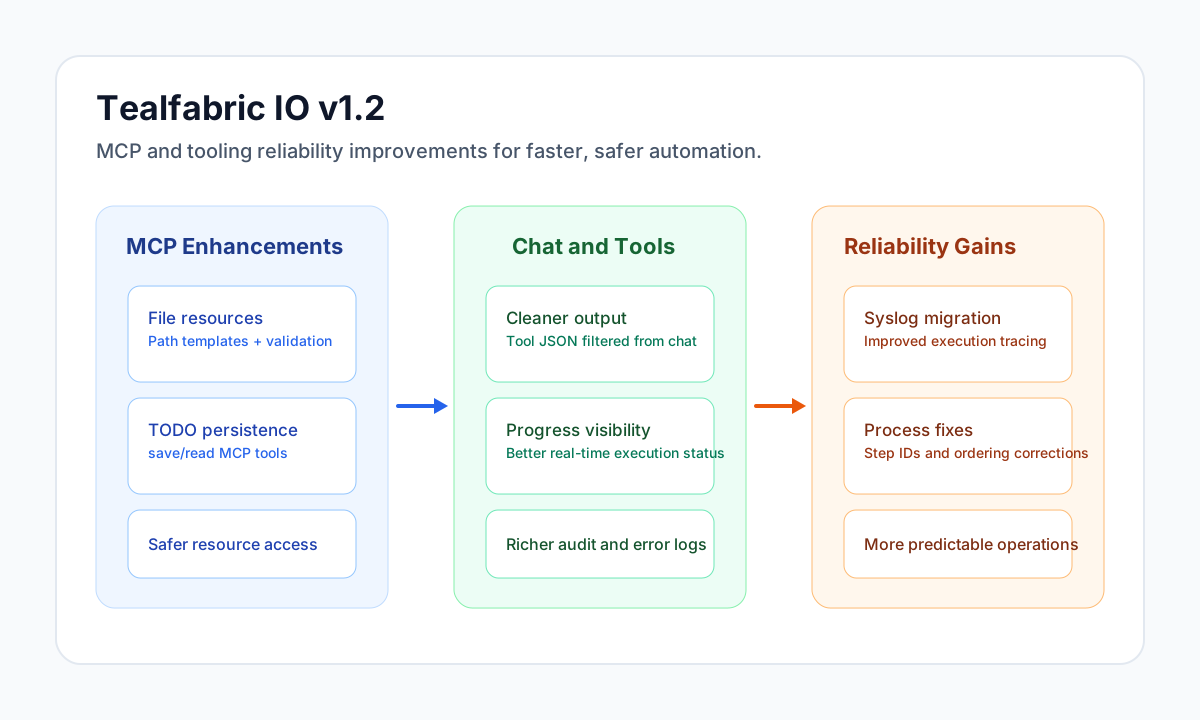
Release highlights
Version 1.2 expands what you can do with MCP by adding secure file-based resource support and better TODO persistence tools. It also improves the AI chat experience by making tool progress clearer, reducing noisy output, and improving failure visibility.
This release continues to improve operational reliability through command-runner logging upgrades, stronger error handling, and improved process-management consistency. Together, these updates make daily automation work easier to monitor, troubleshoot, and trust.
MCP and tooling improvements
MCP now supports file-based resources that can read directly from the filesystem with path templating, security validation, and automatic JSON parsing when applicable. These additions make it easier to build resource-driven workflows without custom plumbing for common file access patterns.
TODO workflows are also improved with new MCP tools for saving and reading TODO lists in tenant-scoped storage. Teams can either execute dedicated tools or use file-based resource access patterns depending on their workflow design.
- Added
file_resourcesupport with project-root path placeholders and parameter substitution (for example{tenant_id}). - Added strict path validation to ensure access remains within project boundaries.
- Added
save_todo_listandread_todo_listMCP tools for persistent TODO workflows. - Added file-based TODO resource support for retrieval without direct tool execution.
AI chat and execution visibility
The chat experience in v1.2 is more predictable during tool execution. Progress indications now display more consistently, and tool-call JSON noise is filtered out of user-facing output to keep conversations readable.
Error handling for failed tool calls is more transparent through improved logging and audit detail capture. This helps teams diagnose failures faster and reduces time spent correlating issues across multiple logs.
- Enabled better progress message handling and real-time updates during execution.
- Improved logging for failed tool calls with richer error details.
- Improved audit-trail quality for troubleshooting and post-incident analysis.
Reliability and platform fixes
Command-runner behavior has been hardened with clearer diagnostics, better error reporting, and migration to syslog-based logging for improved reliability. These changes make execution behavior easier to trace in production environments.
The release also includes process management fixes, webapp version-deletion corrections, and several UI consistency updates including dark-mode and modal improvements.
- Migrated command-runner logging from file-based output to syslog.
- Improved debug information including exit codes, stderr details, and execution timing.
- Fixed process-step ID formatting, sequence ordering, and process details display issues.
- Fixed webapp version deletion behavior to target specific versions correctly.
- Fixed MCP resource visibility issues for inactive resources.
Performance and security impact
Performance improves through tighter execution handling, more reliable logging, and cleaner tool execution flows. These improvements reduce overhead during diagnostics and help keep long-running operations stable.
Security is strengthened by better path validation and safer resource access controls, especially for file-based MCP resources. Error handling has also been refined to surface useful diagnostics without exposing sensitive internals.
Looking ahead to v1.3
The next release is planned to expand TODO management, introduce MCP resource caching, and improve tool execution analytics and recovery behavior. Ongoing UI consistency and usability updates are also expected to continue.